
 >
How To >
Music Tips >
>
How To >
Music Tips >
YTMP3 Converter is a free online tool designed to convert YouTube videos into MP3 audio files. It has attracted many users because of its simple interface, browser-based conversion, and no-installation workflow. However, questions about its audio quality, conversion speed, ads, redirects, and overall safety are also common. In this YTMP3 Converter review, we'll take a closer look at how YTMP3 works, its key features, pros and cons, and potential safety concerns. We'll also compare it with several YTMP3 alternatives to help you decide which option best suits your needs.
 Part 1: Overview of YTMP3 Converter Part 2: Alternatives to YTMP3 Converter Part 3: Comparison Between YouTube to MP3 Converters
As mentioned earlier, YTMP3 Converter is a free online website that extracts audio files from YouTube videos and downloads them in MP3 format to your computer. With this software, users can listen to their favorite YouTube content on their devices at any time. This website does not require users to download an app or log in. Open the website, paste the YouTube URL and you can download it. However, during the process of using it, many ads may pop up as well as redirect to the ad page. You need to be careful while using it.
YTMP3 cannot be considered consistently safe. The main risks come from ads, redirects, misleading download buttons, notification prompts, and the fact that multiple YTMP3-branded domains may have different operators and behaviors.

Tired of pop-ups and ads? Looking for a safe YouTube Music downloader? You may give TuneCable BeatOne a try! It's 100% clean and virus-free. It hleps you download 320kbps MP3 songs and MP4 videos from YouTube with ease!
Step 1: First of all, please open the YTMP3 Converter in your web browser, if you can't open it, it may be caused by the domain name change, you can copy the link we mentioned above and open it in your web browser. Remember to prepare the YouTube video you want to download first and copy its URL.
Step 2: After opening the YTMP3 Converter, paste the URL in the search box and click Convert. YTMP3 Converter will start loading when it finishes loading, click Download to download the MP3 file. During the download, you may be redirected to an ad page. Please ignore it.
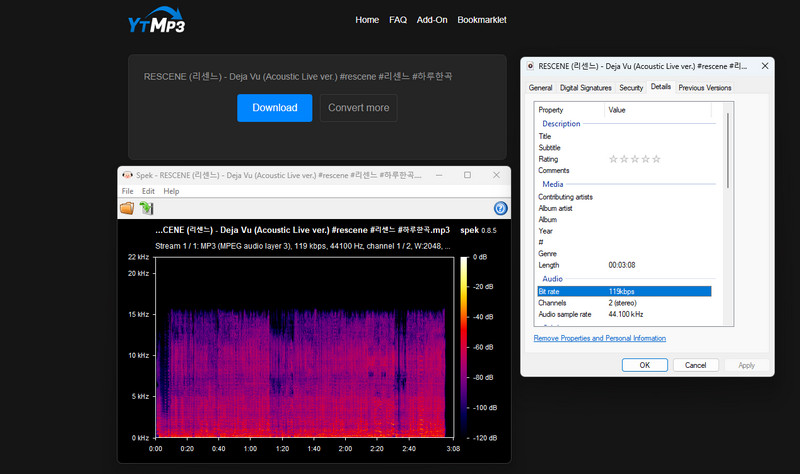
YTMP3 offers a straightforward way to convert YouTube videos to MP3. You simply paste a YouTube URL into the input box and start the conversion without installing additional software or creating an account. This makes it convenient for occasional, one-off downloads.
However, the overall experience has some limitations. The audio quality and available output options are relatively limited, and important metadata such as album artwork and track information may not be retained. During our testing, we also encountered ads and redirects while navigating the download process, which can make the experience less convenient than using a dedicated desktop YouTube downloader.
Overall, YTMP3 works well for users who need a quick and simple YouTube-to-MP3 conversion. However, it offers relatively few features that set it apart from other online converters, and it may not be the best choice for users who want higher audio quality, better metadata retention, or more control over the output.
Some users have also reported mixed experiences with YTMP3, particularly regarding ads, redirects, download reliability, and audio quality:
| Pros | Cons |
|---|---|
| Free to use. | Ads and redirects. |
| Compatible with various devices. | Not support bit rate chosen. |
| No account needed & no installation required. | Not support batch conversion. |
| Support MP3 and MP4 formats. | No cover downloaded with the song. |
| YTMP3-branded websites may use different domains, so users should verify the exact website before downloading. |
As we can see from the analysis and user experience above, this free YTMP3 Converter works most of the time, but sometimes it encounters issues that cause users to not convert properly. So in this next section, we will list some alternatives to give you more choices. One of these tools is our most recommended today. Read on to learn more about these YouTube to MP3 converters.
The first tool we introduce is TuneCable BeatOne. This is a very professional music conversion tool. It is compatible with Windows and Mac platforms and is famous for its up to ten times faster download speed, multi-platform conversion, and security.
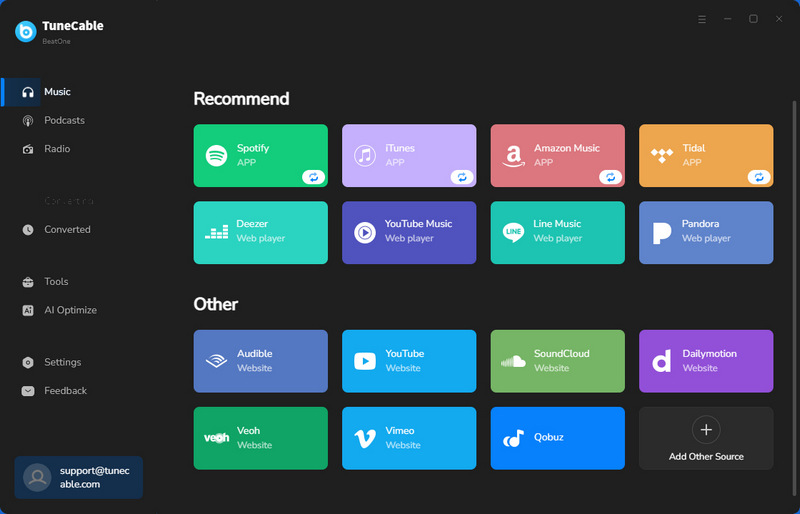
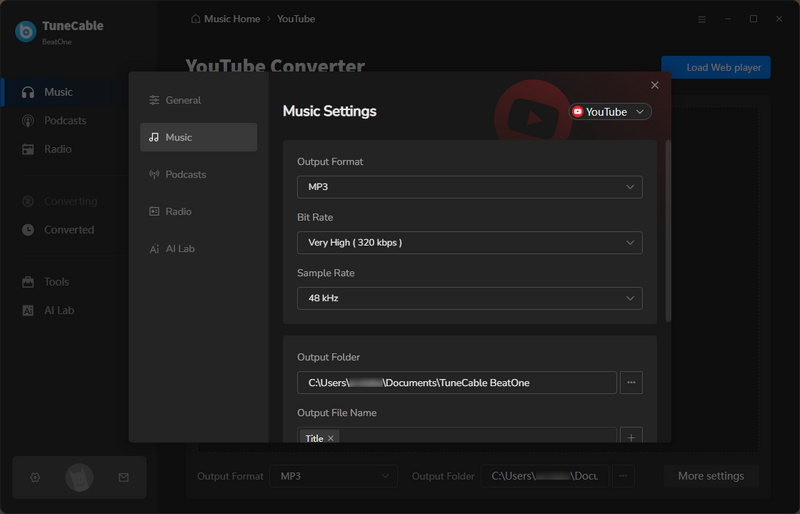
TuneCable BeatOne not only supports users to convert music from YouTube, but also from Spotify, Apple Music, Amazon Music, YouTube Music, Tidal, Deezer, SoundCloud, etc. Music files can not only be converted to MP3 format, but also to AAC, WAV, FLAC, AIFF, and ALAC formats, providing users with a variety of choices. While converting at up to ten times the speed, TuneCable BeatOne can also retain the original sound quality and various ID3 information.

TuneCable BeatOne
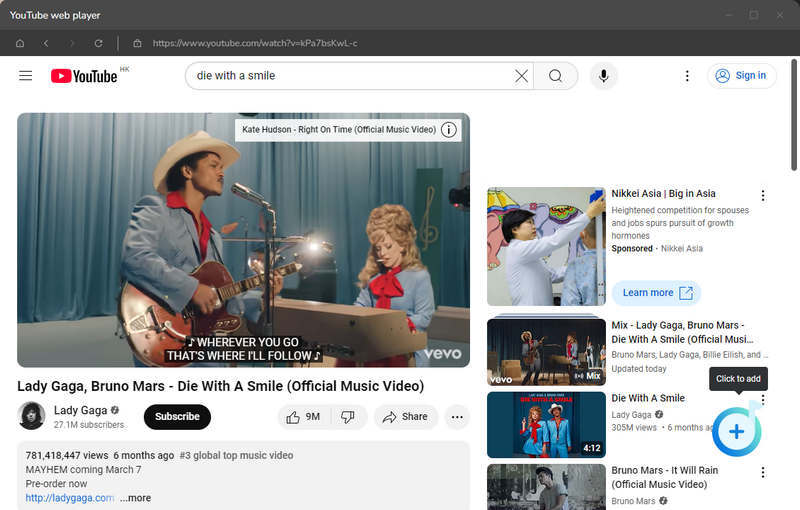
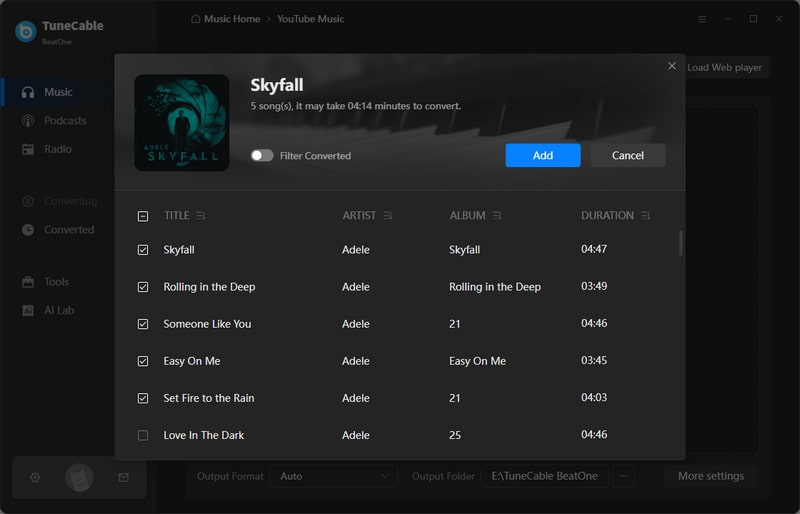
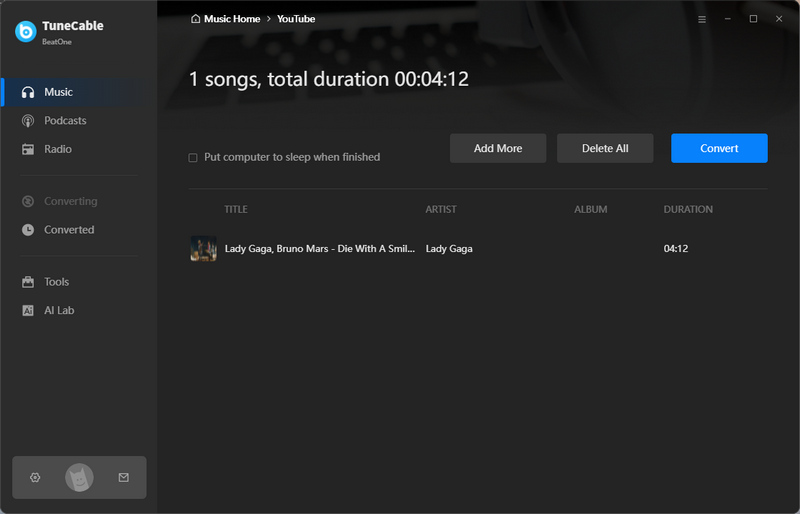
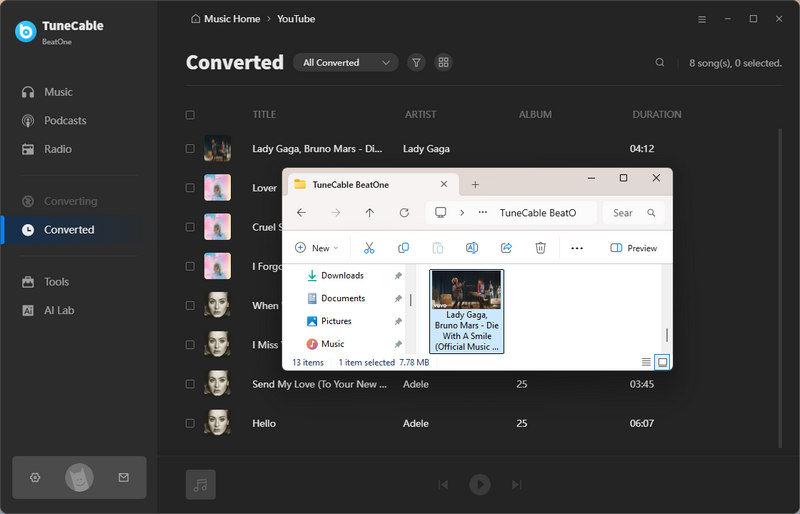
Now we are going to introduce 4 alternatives to the YTMP3 Converter. We will explain the steps in detail as well as the advantages and disadvantages. Let's take a look.
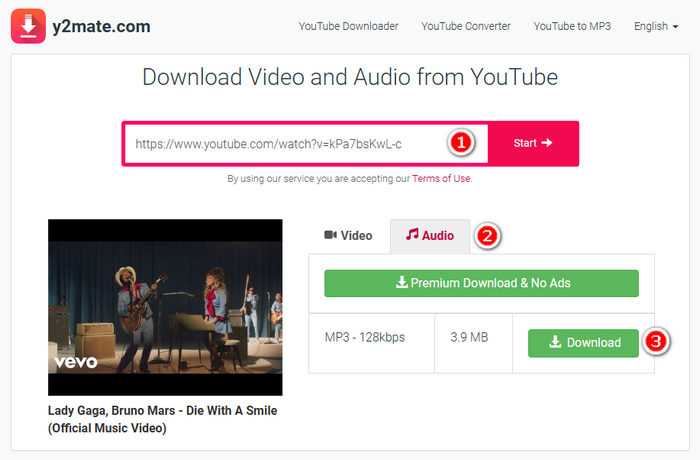
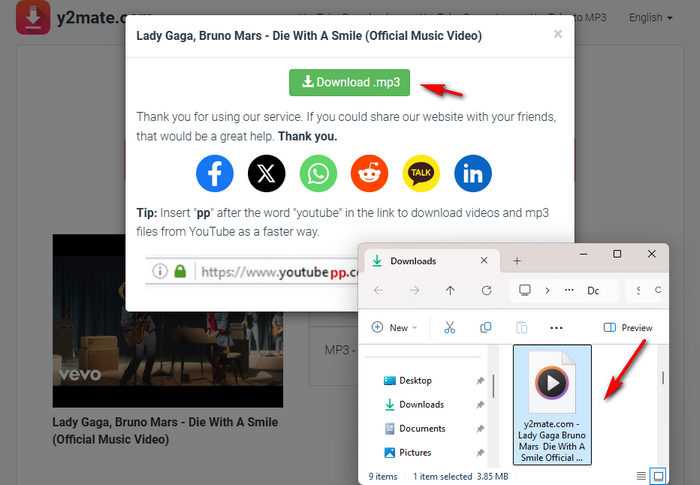
Y2Mate is a tool that can convert YouTube videos to MP3 or MP4 for free. In addition, users can also convert videos from Facebook, Dailymotion, and other websites.
Pros and Cons:
| Pros | Cons |
|---|---|
| Free to use. | There are a lot of ads. Basically, clicking anywhere will jump to the ad page. |
| Supports downloading MP3 and MP4 formats. | The title of the downloaded audio file contains the name of the website. |
| All buttons will jump to the ad page when clicking the first time, and you need to go back and re-click the second time. | |
| When downloading MP3 format, you can only download 128kbps, and you can't select any other bitrate. | |
| No batch conversion & no cover downloaded with the song. |
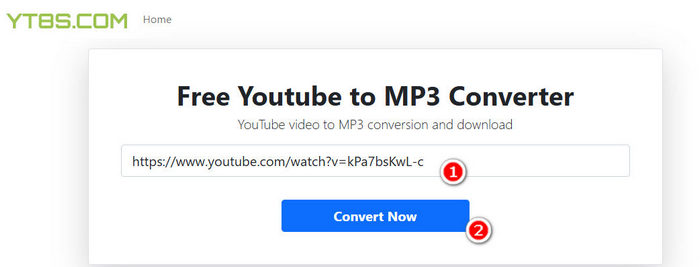
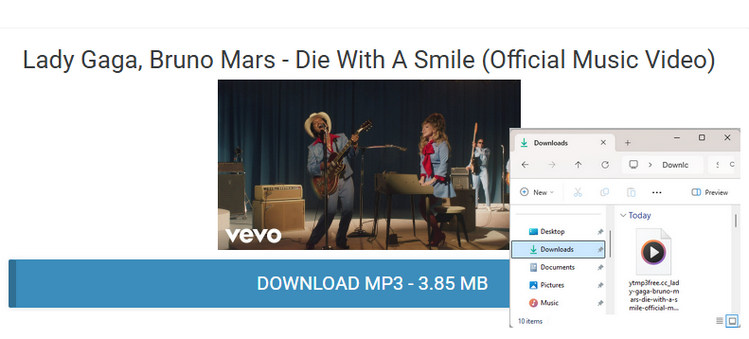
YT8S is a free online conversion platform. Through it, users can convert YouTube videos to MP3 format for free. No need to create an account, just open the website and you can use it.
Pros and Cons:
| Pros | Cons |
|---|---|
| Free to use. | The site where the song is loaded is not the same site where the song is actually downloaded. |
| The title of the downloaded audio file contains the name of the website. | |
| There are many ads. | |
| Not support bit rate chosen. | |
| No batch conversion & no cover downloaded with the song. |
Cobalt Tools is a very simple and intuitive online download tool. There are no ads and no multiple jumps. You can just paste and convert YouTube to MP3.
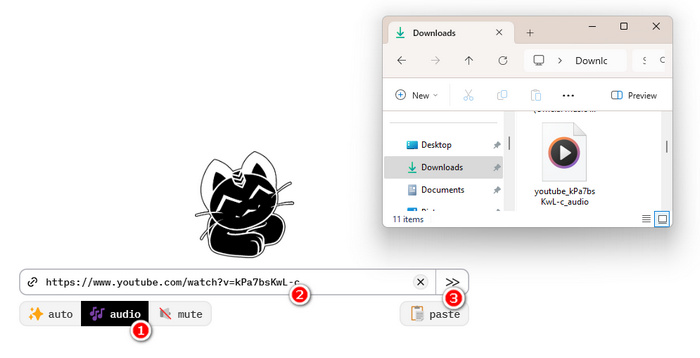
Pros and Cons:
| Pros | Cons |
|---|---|
| Free to use. | Not support bit rate chosen. |
| No ads. | No batch conversion & no cover downloaded with the song. |
| Easy to operate. | The downloaded file does not show the title of the song. |
EzMP3 is an ad-free YouTube to MP3 converter that can convert videos up to 12 hours long. You can choose the bit rate when downloading, and also convert videos to MP3, WAV, MP4 formats.
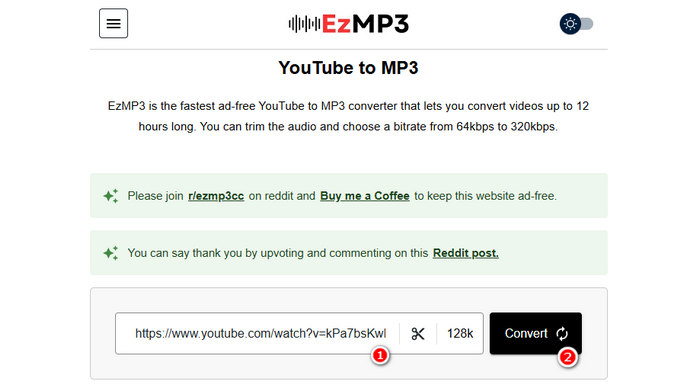
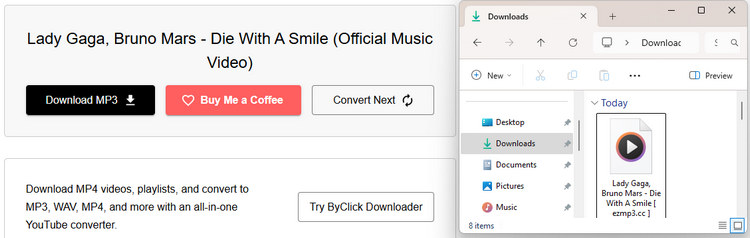
Pros and Cons:
| Pros | Cons |
|---|---|
| Free to use. | The title of the downloaded audio file contains the name of the website. |
| No ads. | No batch conversion & no cover downloaded with the song. |
| Easy to operate. |
After introducing the YouTube to MP3 converter separately, this part will make a quick comparison between these YouTube to MP3 converters.
| Supported Streaming Music Platforms | Output Format | Ad-Free | Cover Art | Bit Rate | Safety | |
| YTMP3 | YouTube | MP3 & MP4 | ❌ | ❌ | 192kbps | ⭐⭐ |
| TuneCable BeatOne | YouTube, Spotify, Apple Music, Amazon Music, YouTube Music, Tidal, Deezer, SoundCloud, Dailymotion, etc. | MP3, MP4, AAC, WAV, FLAC, AIFF, and ALAC | ✔ | ✔ | Up to 320kbps | ⭐⭐⭐⭐⭐ |
| Y2mate | YouTube, Facebook, and Dailymotion | MP3 & MP4 | ❌ | ❌ | 128kbps | ⭐⭐ |
| YT8S | YouTube | MP3 | ❌ | ❌ | Not support bit rate chosen | ⭐⭐ |
| Cobalt Tools | YouTube | MP3 & MP4 | ✔ | ❌ | Not support bit rate chosen | ⭐⭐⭐ |
| EzMP3 | YouTube | MP3 & MP4 & WAV | ✔ | ❌ | Up to 320kbps | ⭐⭐⭐ |
Overall, YTMP3 is a convenient option for occasional YouTube-to-MP3 conversions, but its limited audio controls, lack of batch downloading, and ads or redirects may not suit users with more demanding needs. If you want a more feature-rich alternative, TuneCable BeatOne is a better choice. It supports YouTube and YouTube Music, lets you batch-download playlists, offers multiple output formats and customizable audio quality, and preserves ID3 tags, cover art, and lyrics. With up to 10x faster conversion, BeatOne makes it easier to build and manage your offline music library.
 What's next? Download TuneCable BeatOne now!

Ava Morrison | Senior Writer
TuneCable BeatOne - All-in-one Music Solution

