
TuneCable BeatOne
 >
How To >
Music Tips >
>
How To >
Music Tips >
Have you ever needed to convert YouTube to WAV audio for a project but hesitated due to sketchy websites and security warnings? You're not alone. The search for a trustworthy YouTube to WAV converter can lead you down a rabbit hole of pop-up ads and questionable software. What if you could get crystal-clear WAV files without compromising your computer's safety? We've reviewed the landscape and found a standout solution that combines power with peace of mind. Let's dive in.
WAV is an uncompressed, lossless audio format that can preserve every single bit of audio data from the original source. However, YouTube Music provides 256kbps AAC Quality only, even for Premium users. If you want to get lossless WAV downloads, a YouTube to WAV converter is needed.
A YouTuber, vlogger or video editor might need a specific sound effect or audio clips from a YouTube video to use in their project. Converting YouTube Music to WAV provides a clean, high-fidelity audio clip to import directly into editing software such as CapCut or iMovie.
Converting a YouTube video to a WAV file allows users to listen to it on their phone or any music player without playing the video.
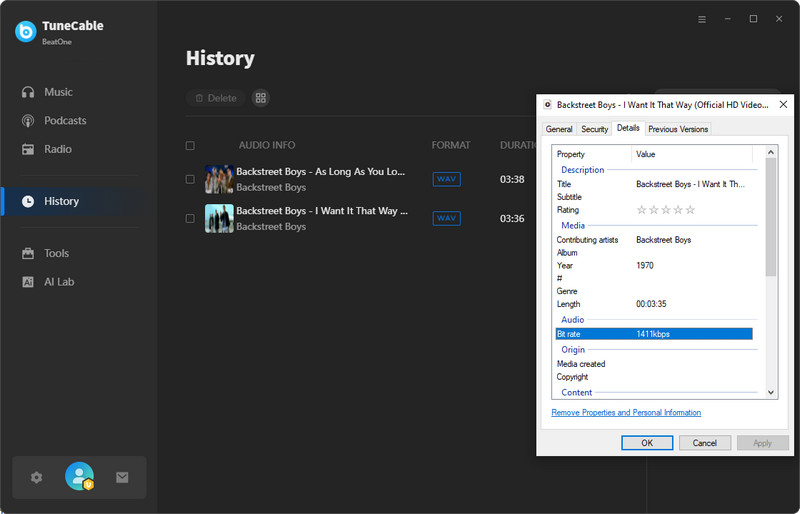
TuneCable BeatOne is a desktop music downloader that supports YouTube and YouTube Music, along with other popular music streaming platforms. It can download YouTube music in WAV, MP3, AAC, FLAC, ALAC, and AIFF, with batch downloading and customizable output settings.

TuneCable BeatOne
Unlike browser-based converters, TuneCable BeatOne provides a desktop workflow for downloading individual tracks or playlists from YouTube and YouTube Music. It is particularly suitable for users who need batch downloads or more control over the output format.
Step 1 Install and launch TuneCable BeatOne, then select YouTube or YouTube Music as the source.
Step 2 Open the YouTube video or YouTube Music track you want to download and add it to the conversion list.
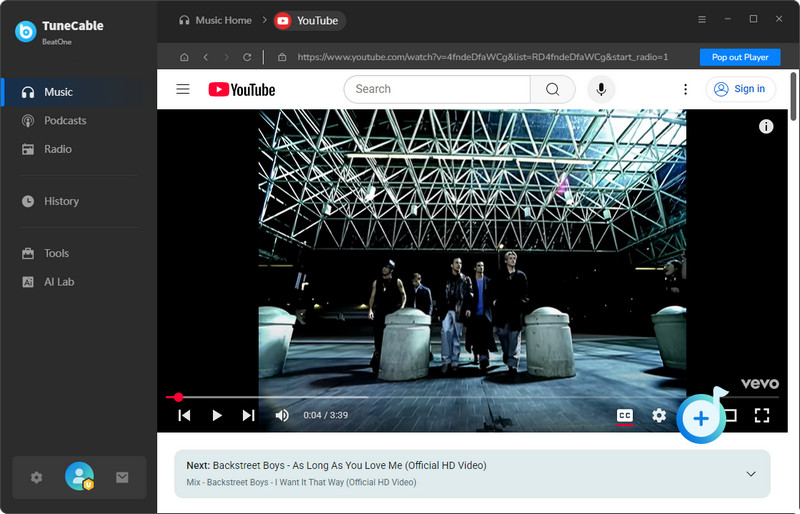
Step 3 Open Settings > Music > Output Format and select WAV. You can also adjust other available audio settings.
Step 4 Return to the conversion interface and click Convert to start the download. The converted files will be saved to the selected output folder.
✓ Pros
✕ Cons
Rating: ⭐⭐⭐
🔗: https://aquapp.net/youtube-to-wav/
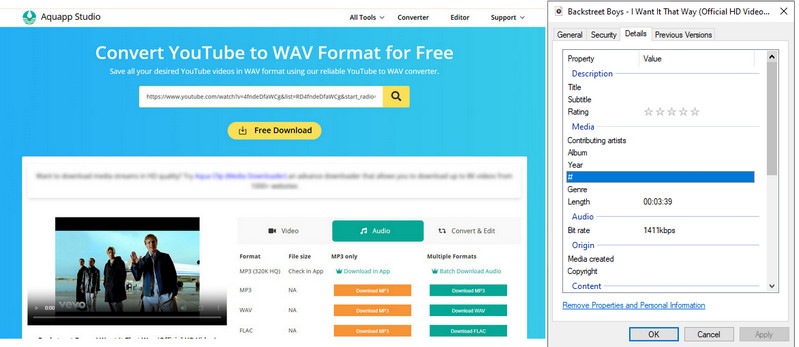
Aquapp.net is a free online tool designed to convert YouTube videos to WAV audio files. It distinguishes itself from many competitors by offering a completely ad-free experience with no malicious redirects, which is a significant advantage for user safety and privacy. However, based on our testing, the service is plagued by an extremely slow download speed, making it impractical for regular use. For example, downloading a single song can take more than 10 minutes, a rate that is orders of magnitude slower than other tools.
✓ Pros
✕ Cons
Rating: ⭐
🔗1: https://loaderr.to/en/youtube-wav-converter
🔗2: https://4kdownload.to/ena3/youtube-wav-downloader
🔗3: https://y2down.cc/enTF/youtube-wav
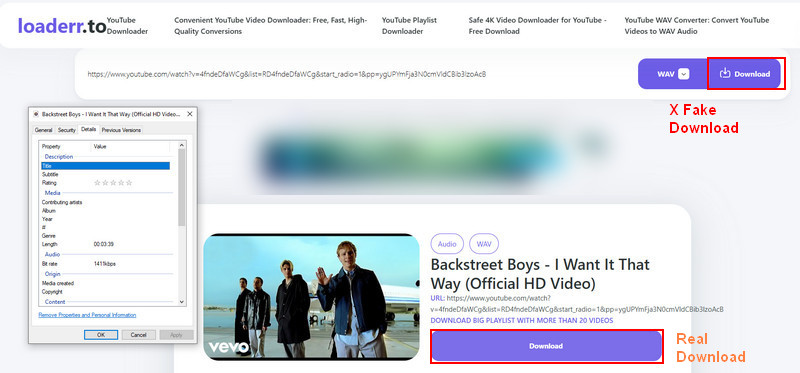
Loaderr.to is a website that offers a suite of free online file conversion tools, one of which is a YouTube to WAV converter. Like similar online tools, users paste a YouTube URL, and the website extracts the audio, converts it, and provides a download link for a WAV file. However, during testing, we found that this site puts a fake download button that redirects to 3rd-party sites. Free online converters like Loaderr.to primarily generate revenue through advertising. It is very common for sites like these to display ads that trick you into downloading fake "downloaders" or "codecs" that are actually malware or viruses. You will likely be forced to click through multiple ad-filled pages, wait for countdown timers, and close pop-up windows before your download actually starts.
4kdownload.to and y2down.cc are almost certainly the same site as loaderr.to, or at the very least, they are run by the same network using the same template. You should avoid 4kdownload.to for the exact same reasons you should avoid loaderr.to and all other similar online conversion tools. They are designed to generate ad revenue at best and are a security threat at worst.


✓ Pros
✕ Cons
Rating: ⭐
🔗: https://evano.com/youtube-to-wav
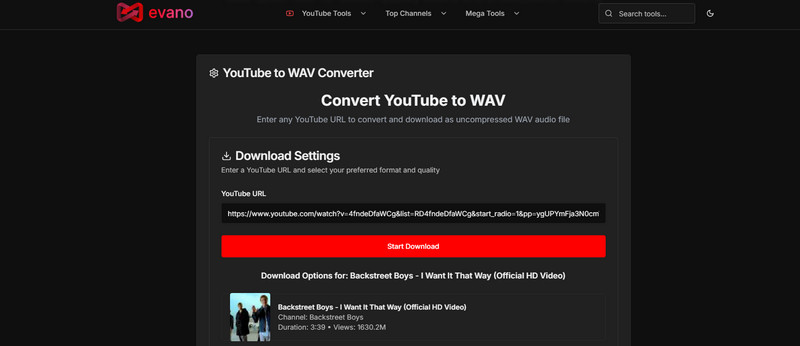
Evano.com is a website that offers a suite of online file conversion tools, one of which is a YouTube to WAV converter. Like many similar online tools, its primary appeal is instant accessibility. Users paste a YouTube URL into the site, and it promises to extract the audio and convert it into a downloadable WAV file, all within the web browser. However, this site has too many ads and redirects. The download will not start unless you enable the pop-up ad windows. And these pop-ups can redirect you to websites designed to steal your personal information, login credentials, or credit card details.
Pros
 Totally free
Multiple output formats for video/music downloading
Totally free
Multiple output formats for video/music downloading
Cons
 Suspicious redirecting on every single click
High-risk downloading via pop-up windows
No metadata saved
Not support downloading albums or playlists
Suspicious redirecting on every single click
High-risk downloading via pop-up windows
No metadata saved
Not support downloading albums or playlists
Rating: ⭐
🔗: https://www.yt1d.app/
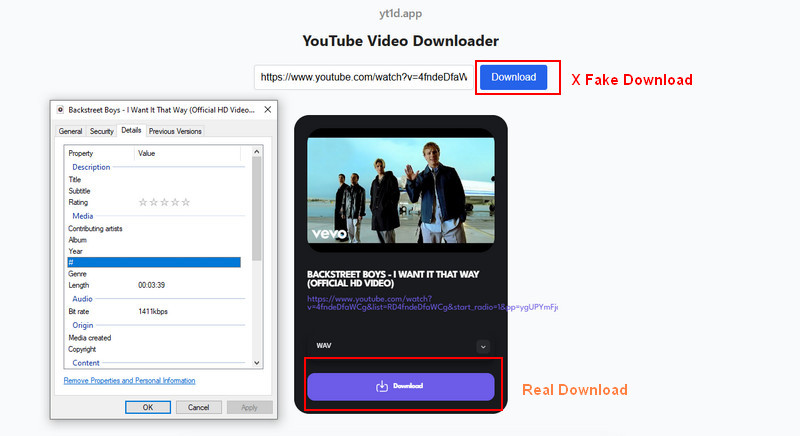
YTD.app (also known as YT1D.app, as the domain redirects) is a free, web-based platform designed for downloading and converting YouTube videos into MP3 audio and various video formats (like WAV, MP4, WEBM). Its minimalist interface initially suggests a user-friendly experience free from the clutter of typical online converters. However, our testing confirms that after initiating a download, YT1D.app employs the same high-risk tactics as other sites in its category, redirecting users through third-party advertising gateways.
Pros
Totally free
Not require a YouTube account
Cons
Suspicious redirecting on every single click
No metadata saved
Fake download button
Not support downloading albums or playlists
Rating: ⭐
🔗: https://wav.ninja/
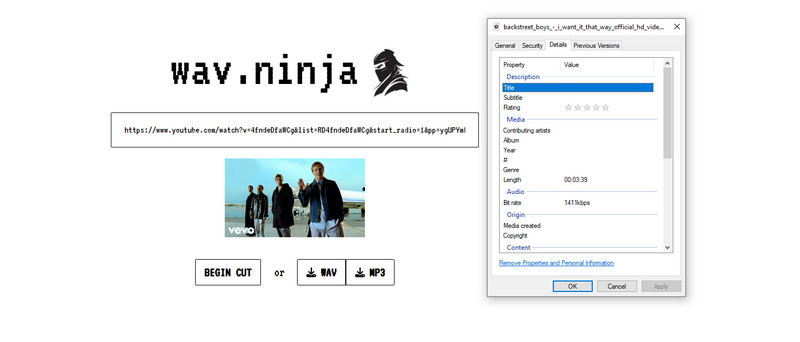
Wav.ninja is a free online tool designed to convert YouTube videos into audio files, specifically targeting the WAV format, as the name suggests. Its primary function is simple: users paste a YouTube URL, and the website converts the video's audio into a downloadable WAV file. It positions itself as a quick, no-fuss solution for users who need high-quality audio from YouTube without installing software.
2026 Latest update: The WAV.Ninja site is shut down. It is recommended to use other tools, such as TuneCable BeatOne, to download lossless WAV songs.
Pros
Totally free without ads
Not require a YouTube account
Cons
Very slow download speed (5-15 minutes/per song)
No metadata saved
Not support downloading albums or playlists.
Q: Are free online YouTube to WAV converters safe to use?
Q: Is the WAV file from YouTube truly lossless/high quality?
Q: Why is my downloaded WAV file so large?
When it comes to converting YouTube to WAV, you have a clear choice: risk your security with unreliable free online converters or invest in a guaranteed solution. TuneCable BeatOne is the definitive answer, offering a powerful, safe, and efficient way to get lossless-quality audio without the ads, malware, or limitations of web-based tools. For anyone serious about their audio, TuneCable BeatOne is, without a doubt, the right YouTube wav downloader tool for the job.
 What's next? Download TuneCable BeatOne now!

Ava Morrison | Senior Writer
TuneCable BeatOne

