
TuneCable Spotify Downloader
 >
How To >
Spotify Music Tips >
>
How To >
Spotify Music Tips >
What will you do if you are planning to end the Spotify Premium service? Either turning to other streaming music brands, or stepping back to a Spotify Free plan, converting Spotify Music to MP3 files is your primary option. With the top free Spotify to MP3 Converters we listed in this post, you can download all preferred Spotify tracks, albums, and playlists to MP3 files and can freely enjoy your Spotify songs offline with no extra payment at all.
| Feature | Spotify Premium | Spotify to MP3 Converter |
|---|---|---|
| Output Format | Spotify encrypted cache files | MP3 |
| Maximum Audio Quality | Lossless (24-bit / 44.1kHz) | 320kbps, very few support Spotify Lossless (24-bit / 44.1kHz) |
| Usage Scenario | Spotify app only | Any device (MP3 players, USB drives, legacy car audio systems) |
| File Management | Cannot edit | Freely backed up, trimmed, and shared |
Why do some people give up Spotify Premium and turn to Spotify to MP3 converters? Even though Premium offers a great experience, Spotify to MP3 converters solve two key pain points that the official service can't address: the ability to truly "own" Spotify songs forever, and the freedom to use those music files across multiple devices, without being locked into the Spotify app. Next, we'll review and compare several Spotify to MP3 converters.
*Note: During our tests, we standardized the test sample to Shakira & Burna Boy's "Dai Dai" from Spotify, released on May 14, 2026.
TuneCable Spotify Downloader is one of the most highly recommended Spotify MP3 downloader tools we tested. Its biggest advantage is audio quality: TuneCable can download Spotify songs as genuine 320kbps MP3 files and supports lossless FLAC output when using the Spotify App source. In our testing, several online Spotify downloaders claimed to offer 320kbps downloads, but the actual files were closer to 128kbps and were often accompanied by intrusive ads and redirects. TuneCable provided a much more stable and consistent downloading experience.
One feature we found particularly useful is the built-in CD Burner, which allows users to burn an entire Spotify album directly to a CD for car playback. It can also download lyrics files and music videos, features that are rarely available in similar tools. Download performance is another strength. Users can choose conversion speeds from 1× to 10× depending on their needs while retaining high audio quality. Overall, if you are looking for a stable Spotify MP3 converter with reliable audio quality, batch downloading, and useful extra tools, TuneCable Spotify Downloader is one of the strongest options available.
TuneCable Spotify Downloader
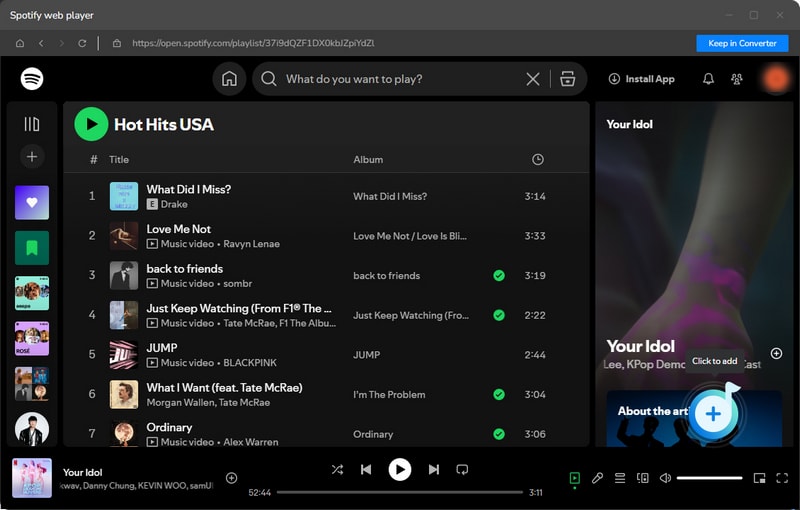
Step 1 Launch TuneCable on your device, and choose a download source - Spotify app or Spotify web player. The former can download Spotify lossless music (up to 24bit / 44.1kHz), while the latter can convert Spotify songs to MP3 up to 40x fast speed. Choose the source you prefer. Log in to a Spotify account. Browse the target Spotify songs, albums, playlists, and podcasts. Then click on the "+" button. Next, tick some songs and click on "Add".
Step 2 Navigate to the "Settings" interface. Choose MP3 as the output format. If needed, you can customize the name of the exported songs by setting the 'Output File Name' to include options like Track Number, Title, Artists, Album, etc.
Note: If you want to download lossless songs, please choose Spotify app source, and select "Recommended" under "Output Format" instead of MP3.
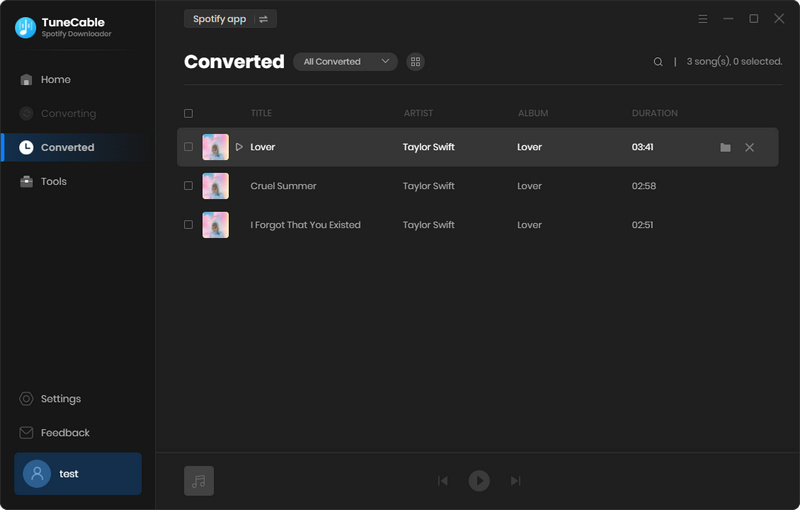
Step 3 Click the "Convert" button to start downloading Spotify MP3 songs. After the downloading is finished, you can check all the downloaded songs under the "History" section. By clicking on the folder icon, you can locate the local files on your PC.
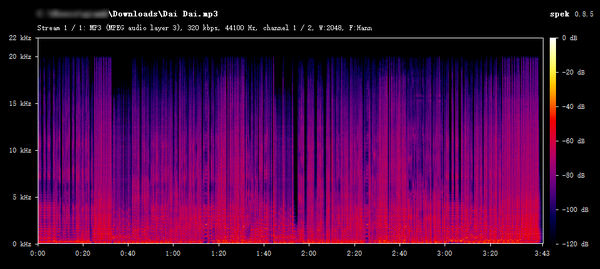
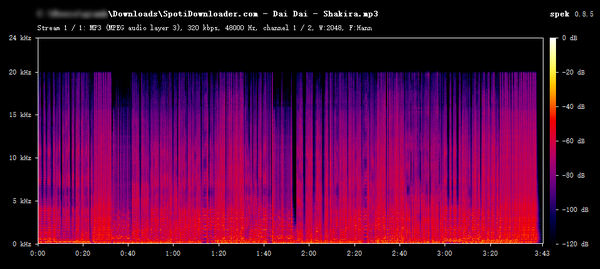
When you visit spotidownloader.com, simply paste the link of a song, album, or playlist from Spotify into the search box and click the download button to swiftly acquire your desired content. Its convenience and efficiency lie in the fact that you only need to provide a link, with no additional software installation required or the need to log in to your Spotify account, making it effortless to download songs. Furthermore, with just a few simple clicks, you can convert the Spotify playlist to MP3 format while ensuring the audio quality remains intact throughout the process.
Step 1: Visit https://spotidownloader.com/en9 and enter a link to a Spotify song. Click "Download".
Step 2: You will see a list of available Spotify tracks, tap on the "Download" button next to the item you need.
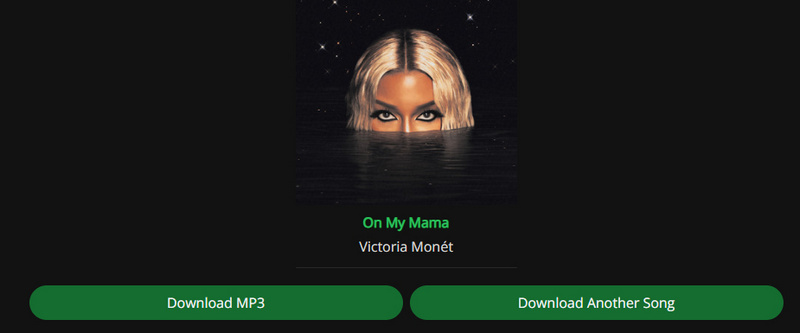
Step 3: Click "Download MP3" to download music from Spotify to MP3.
Also Read: Top Spotify to MP3 Playlist Downloaders >>
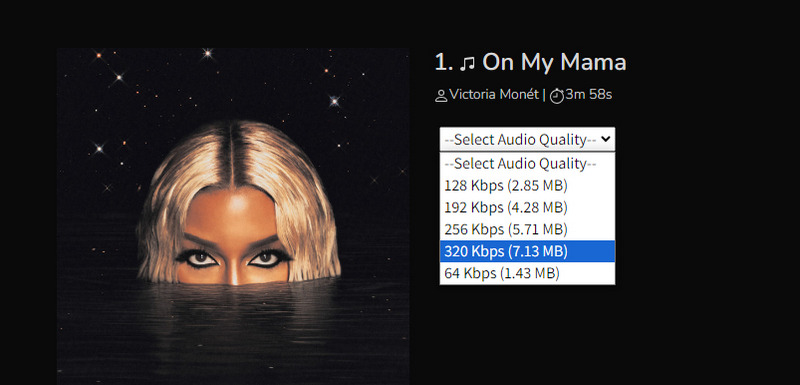
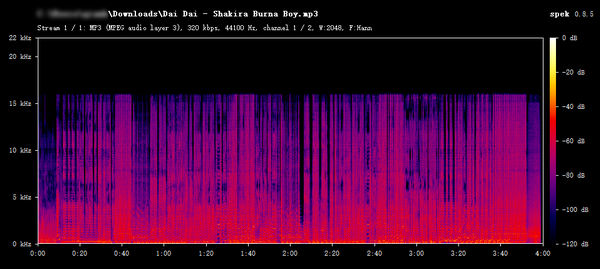
Spotisongdownloader is dedicated to offering complimentary downloads of Spotify tracks, albums, and playlists. While downloading, you have the freedom to select your desired audio quality, with clear indications of the file size associated with each option. This online download tool is effortlessly accessible via a web browser on any device, ensuring universal convenience.
Step 1: Open https://spotisongdownloader.com/ and enter a Spotify Music link.
Step 2: Click "Download" and choose "Download ZIP".
Step 3: Then click "Generate Download Link", and select the output quality to initiate the conversion.
This is a direct website providing online downloader to save your Spotify Music tracks as MP3 files without any account. And learn the easy steps below to have your Spotify MP3 music.
Step 1: Copy the Spotify music links, whatever is on your Spotify web player or on the application on your computer.
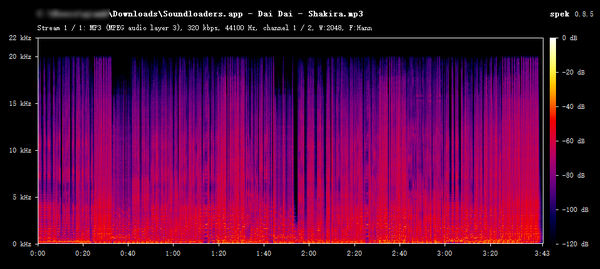
Step 2: Guide to https://soundloaders.app/ on a browser, and then paste the URL that you have just copied to the blank box in the middle.
Step 3: Tap on the key "Find Track" button to instruct Spoty-mp3 to analyze the URL of the music, and then make a list of music relatives.
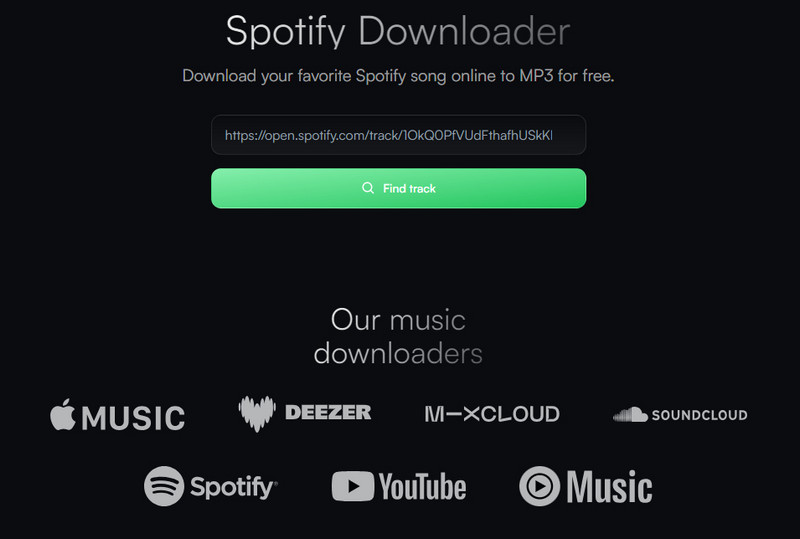
Step 4: Choose the song you want and click the "Download" button on the music list, so you can get the music downloaded in just a few minutes.
Spotmate is a free online downloader that allows you to download Spotify songs for free. It enables you free download Spotify songs to MP3 format without installing any extra software.
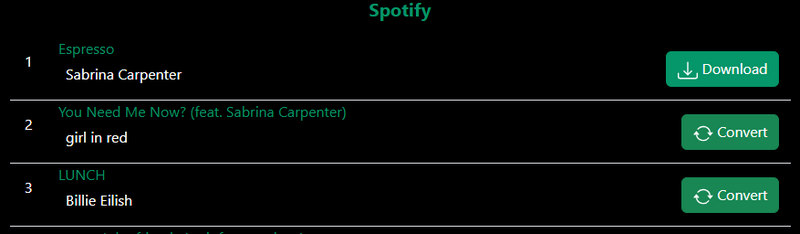
Step 1: Open https://spotmate.online/ and then input a Spotify music link, click "Start".
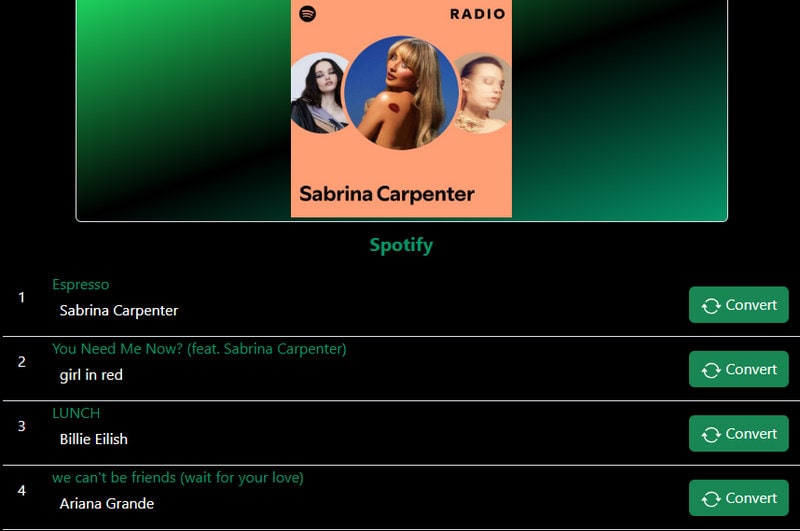
Step 2: Next, choose a song you like and click "Convert".
Step 3: Then you need to tap on the "Download" button to download this Spotify song to MP3 on your local PC.
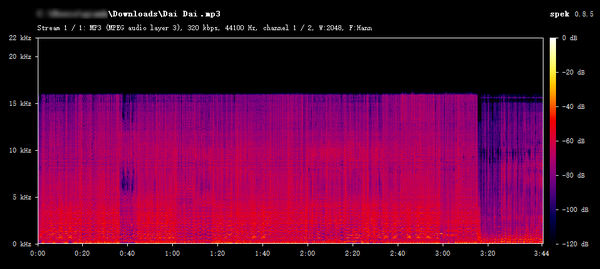
Spodownloader.com offers a free, ad-free solution for downloading songs, albums, and playlists from Spotify. By pasting a single link, users can save any track locally as an MP3 file—cover art included—without interruptions.
2026 Latest Note: The 2026 latest tests show that the site is not available.
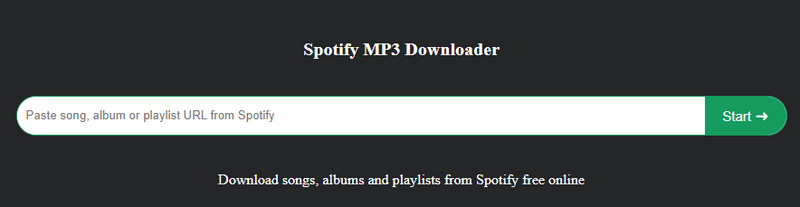
Step 1: Navigate to its website and put a link to a Spotify Music track, album, or playlist into it, tap on "Start".
Step 2: Choose a track and click "Get Download".
Step 3: Hit "Download MP3" to start downloading Spotify tracks to MP3 format.
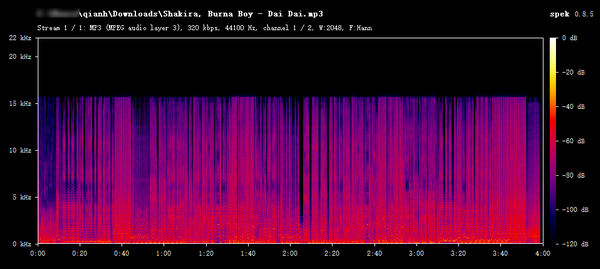
Ytmdl online downloader revolutionizes the way Spotify music is downloaded. It does not require song links; instead, it searches for music resources through keywords. The search results encompass songs, videos, and more, with users having the option to download in MP3, M4A, or OPUS formats while preserving most metadata. Although the site incorporates advertisements, Ytmdl minimizes pop-up ads, ensuring a seamless user experience.
2026 Note: The 2026 latest tests show that the site is not functioning properly. Searching for songs is stuck in a loading state. The functionality is unstable.
Step 1: Visit https://ytmdl.deepjyoti30.dev/. Click "Download A Song".
Step 2: You can search any music after providing a keyword. If you find a preferred Spotify song in the search result, click on it.
Step 3: Follow its instructions and start downloading the Spotify song to MP3 for offline playback.
Pro: It provides free service to download Spotify songs to MP3, M4A, or OPUS in 320kbps via keyword search.
Con: It takes more steps to download a Spotify song. Downloads can be prone to failure.
Also Read: Top 10 Free Spotify Music Downloaders Online >>
| Supported Output Format | Actual Output Quality | Download Spotify Music Video | Conversion Speed | Batch Playlist Download | Supported OS | Ad-Free | |
|---|---|---|---|---|---|---|---|
| TuneCable Spotify Downloader | MP3, AAC, ALAC, FLAC, WAV, AIFF, MP4 | 320 kbps/44.1 kHz, 24 bit | ✅ | Fast (Up to 40x) | ✅ | Windows, Mac & Android | ✅ |
| spotidownloader.com | MP3 | 160–192kbps | ❌ | Medium | ✅ (Limited) | Any Browser | ❌ |
| Spotisongdownloader | MP3 | 128kbps | ❌ | Medium | ✅ (Limited) | Any Browser | ❌ |
| Soundloaders.com | MP3 | 128kbps | ❌ | Medium | ❌ | Any Browser | ❌ |
| Spotmate | MP3 | 320kbps | ❌ | Medium | ❌ | Any Browser | ❌ |
| spodownloader.com | MP3 | 128kbps | ❌ | Medium | ❌ | Any Browser | ❌ |
| Ytmdl.deepjyoti30.dev | MP3 | / | ❌ | Medium | ❌ | Any Browser | ❌ |
Q: Are Spotify MP3 Converters Legal?
Q: Can Spotify MP3 Converters Download Songs in Real 320kbps?
Q: Do Free Online Spotify MP3 Converters Really Work?
Choosing the best Spotify MP3 converter depends on what matters most to you. If you only need to download a few songs occasionally, a free online downloader may be sufficient. However, if you care about audio quality, batch downloads, metadata preservation, long-term stability, and additional music management features, desktop software is generally the better choice.
Based on our hands-on testing, TuneCable Spotify Downloader offered one of the best balances between audio quality, performance, and usability. It supports batch conversion, multiple output formats, complete metadata retention, and several useful built-in tools for managing downloaded music. Rather than relying solely on advertised specifications, our recommendation is based on the actual test results presented throughout this review. We recommend choosing the converter that best matches your own needs and listening habits.
 What's next? Download TuneCable Spotify Downloader now!

Ava Morrison | Senior Writer


