
 >
How To >
Spotify Music Tips >
>
How To >
Spotify Music Tips >
Many people are looking for a free online Spotify downloader that enables users to download Spotify tracks as MP3s without a Premium account. Recently, SpotiDownloader has been a hot tool for many. However, some reviews have noted that most web-based Spotify downloaders are down and unavailable for unknown reasons from time to time. Is SpotiDownloader safe to use? Any alternative? This SpotiDownloader review will cover its features, how to use it, its pros and cons, security considerations, the alternative option, and common FAQs.
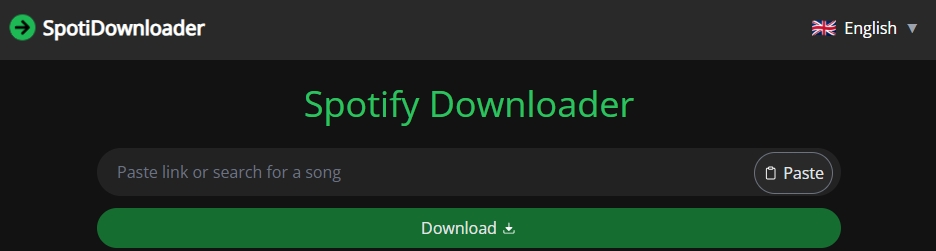
SpotiDownloader is a web-based tool that allows users to download tracks using Spotify links or search for songs to download. Currently, the demand for offline Spotify listening remains strong across a variety of scenarios. To avoid network restrictions during commutes or travel, and to transfer music to MP3 players, USB storage devices, or car audio systems, users often need to download their favorite music directly as local files for flexible control. Additionally, many users prefer to create local backups of their playlists for their personal music collections, allowing them to revisit them anytime. These are some of the reasons why SpotiDownloader is so popular.
⭕Important Note:
The previous domain of the SpotiDownloader website was spotifydown.com. The old site did not set up a redirect to the new domain. Some long-time users reported that after the old site became inaccessible, it took them a long time to find an alternative. This, in turn, highlights the unreliability of the service itself. We strongly advise users to find a safe and reliable alternative solution with a dedicated professional support team.

Still looking for a safer and more reliable alternative to SpotiDownloader? Try the best SpotiDownloader alternative — TuneCable Spotify Downloader! Preserve your music from Spotify. Instantly download any track, playlist, or podcast in high-fidelity MP3, FLAC, or WAV formats. Every download comes complete with metadata, album art, and lyrics, ready for you to enjoy offline on any device, anywhere.
SpotiDownloader is a free online website that retrieves Spotify music by parsing Spotify tracks, albums, and playlists links. You may try downloading Spotify music in MP3 format by following these steps:
Step 1 Visit the SpotiDownloader website (https://spotidownloader.com/).
Step 2 Paste the link to the Spotify track, album, or playlist into the search bar and click the "Download" button.
Step 3 Click the "Download MP3" or "Download FLAC" button. (When downloading an entire playlist, click the "Download ZIP" button.)
Step 4 Click the download button again. Next, you can find the downloaded audio file in your browser's download folder.
The stability and security of online services like SpotiDownloader have always been among the top concerns for users. Is SpotiDownloader safe to use? Is it reliable? What is the real user feedback? Regarding these concerns, we conducted a detailed online survey and collected genuine feedback from users. Meanwhile, we also performed thorough testing.
User feedback on Reddit:
User feedback on Trustpilot (Rating: 2.6):
While collecting genuine user reviews, we also conducted multiple download tests at different times. The results of these tests consistently validated the users' claims. Below are the pros and cons we have summarized:
| Pros | Cons |
|---|---|
| It is free to use, and no additional software download is required. | It can parse Spotify track, album, and playlist links, but not artist links. |
| Optional output formats include MP3 and FLAC (currently in BETA). | It claims to be able to download single tracks in FLAC format, but this feature is currently in BETA (not very stable). After testing several tracks, the output FLAC files were all corrupted and unplayable. |
| It supports downloading the entire Spotify playlist or album at once. | It can parse a maximum of the first 100 songs in a playlist. If a playlist has more than 100 songs, the songs after the 100th cannot be retrieved or downloaded when batch downloading the entire playlist at once. |
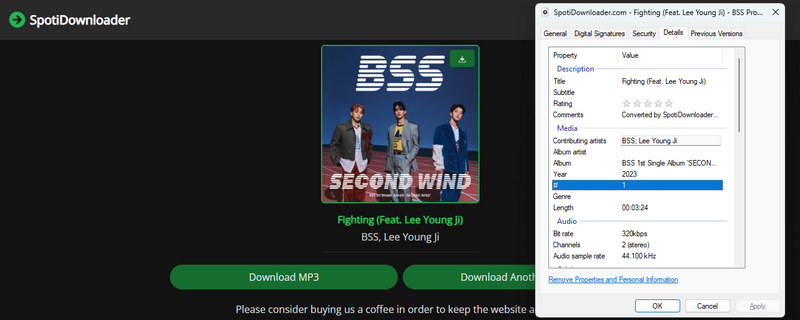
| The highest output quality is 320kbps. | The output file naming format is: SpotiDownloader.com - Song Title - Artist Name. Customizing the output file name is not supported. |
| The batch download function is limited. Only one playlist can be downloaded at a time, and it only supports downloading in MP3 format. | |
| The download success rate is not very high. During our testing, an attempt was made to download 100 songs from a playlist, but only 82 songs were successfully downloaded. |
As previously communicated, SpotiDownloader has switched to a new domain after the old one became inaccessible. Despite this move, the website continues to experience some operational issues. Most notably, the site displays frequent pop-up ads, which severely disrupt the user experience and, moreover, pose a significant security risk. Other persistent issues include a low download success rate and the inability to parse more than the first 100 songs in a playlist. Users urgently need a better and safer alternative. This is where TuneCable Spotify Downloader can solve these problems for users.
TuneCable Spotify Downloader is specifically designed for downloading Spotify playlists, songs, audiobooks, podcasts, and more. One of its standout features is its support for batch downloading multiple playlists. TuneCable supports output formats beyond just MP3 and FLAC, including AAC, ALAC, WAV, and AIFF, allowing users to utilize their music collection in a wide range of scenarios like DJing and video editing. To facilitate the management of downloaded music files, TuneCable also supports customizing output folder names, which can be named using elements such as playlist index, song title, artist name, and album name. Furthermore, it boasts a professional technical support team and customer service team. If you encounter any problems while using the software, you can seek assistance from customer service. For more advanced features, please refer to the information below.
TuneCable Spotify Downloader
How can you download Spotify music to your local device or download multiple Spotify playlists in one go? Click the download button above and follow our instructions here!
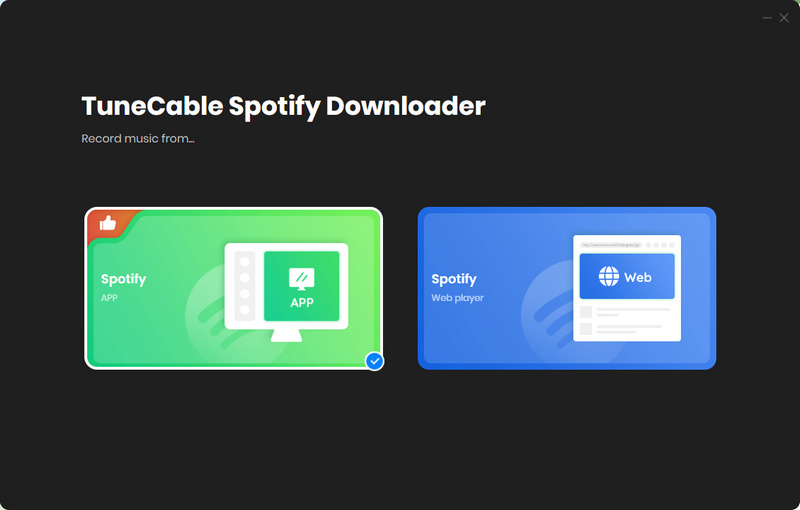
Step 1 After installation, immediately launch TuneCable Spotify Downloader. Select a download source: either the Spotify web player or the Spotify app. The former is designed for users who prioritize download speed, while the latter is suitable for users who prefer high-quality audio output (such as Spotify Lossless). Once you've made your decision, please log in to your Spotify account.
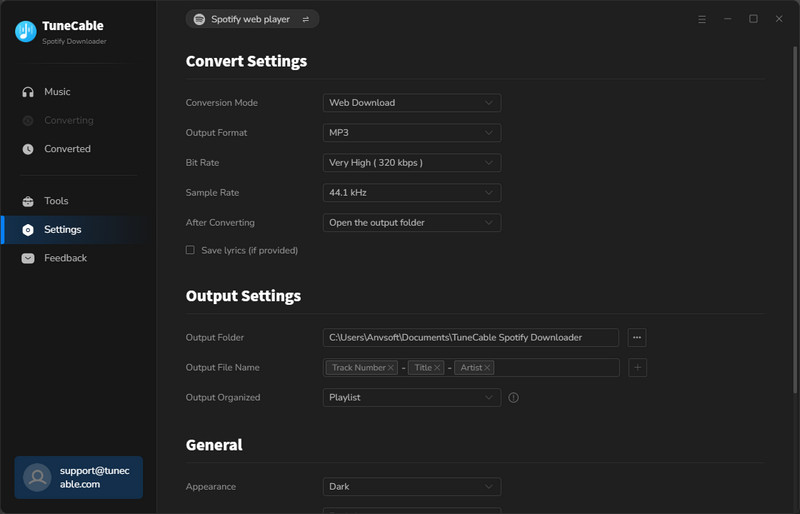
Step 2 Click the small gear icon in the lower left corner to access the Music Settings window where you can customize the output format, conversion mode, bit rate/bit depth, output file name, etc. Finally, please close the window to apply these changes.
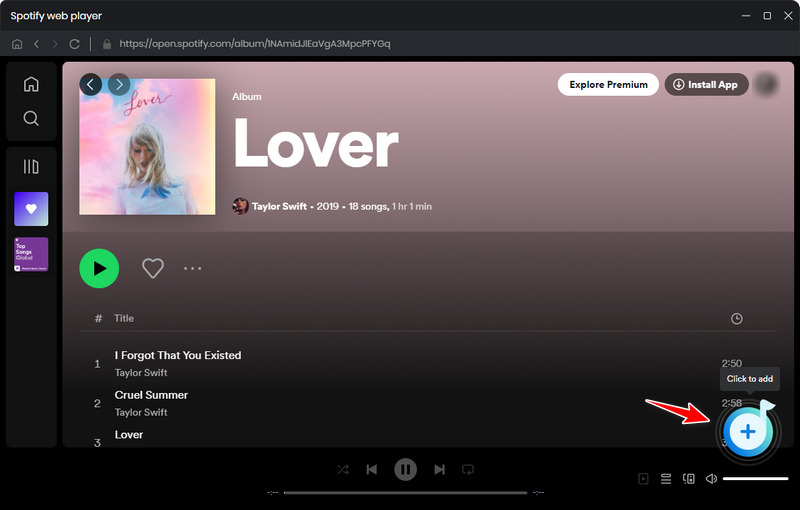
Step 3 Go to the Spotify web player or the Spotify app interface. You can add songs to the download list directly from your Spotify playlists, or search for your favorite songs in the search bar. Once you've found the music you need to download, click the "Click to add" button to process the music.
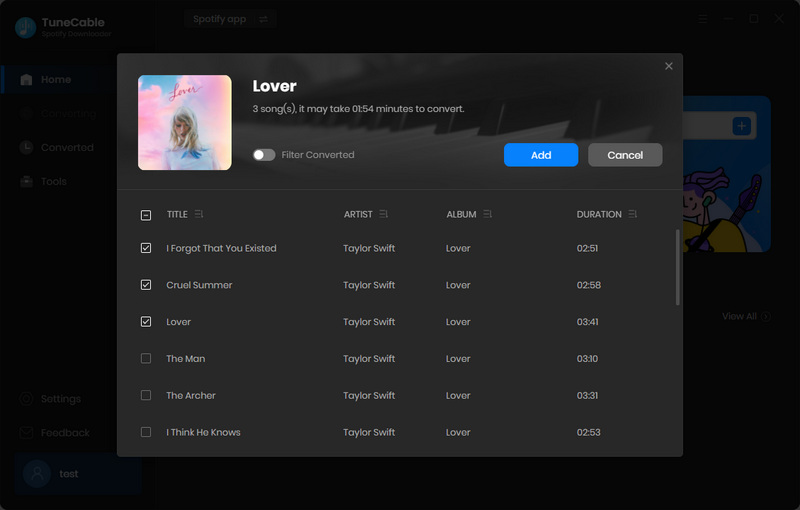
Step 4 Next, select the desired items in the pop-up window. Initially, all tracks in the playlist are selected by default, allowing users to download the entire playlist in bulk. After confirming the items to download, click "Add" to add them to the download list.
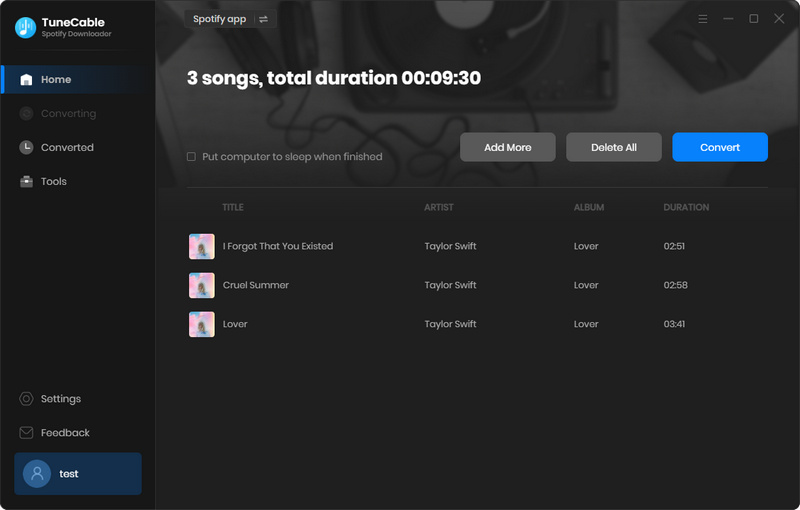
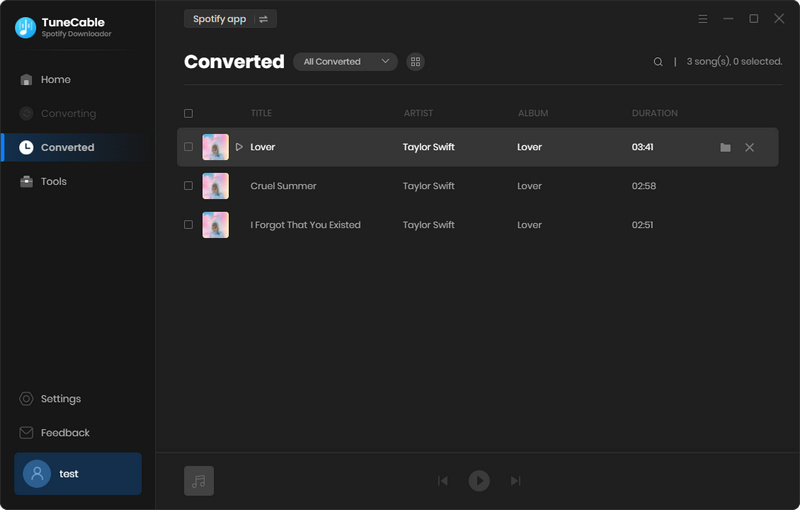
Step 5 At this point, simply click "Convert" to immediately start the download process. Depending on your internet speed, TuneCable can save Spotify tracks to your local device at speeds up to 40x faster. After the download is complete, you may go to the "History" screen to view your download history. Throughout the download, you will encounter no unwanted ads or pop-ups, guaranteeing a completely secure and hassle-free experience.
Yes, it's entirely free to use, though users can optionally support the creator through a "Buy Me a Coffee" button.
TuneCable Spotify Downloader is one of the best alternatives to SpotiDownloader with its excellent batch-downloading ability, fast download speed, clean and virus-free UI, and high-quality audio output.
Yes, it supports Spotify playlists and albums. Simply go to Spotify, copy the playlist or album link, and then go to the official SpotiDownloader website to parse it. However, unfortunately, it does not support parsing tracks from Spotify artist pages. If needed, you may try TuneCable Spotify Downloader, which supports parsing links for Spotify tracks, playlists, albums, artists, audiobooks, and podcasts.
Yes. SpotiDownloader supports retaining some basic metadata information, such as album name, artist name, and song title, but not complete metadata.
This guide provides a comprehensive review of SpotiDownloader, detailing its key features, step-by-step usage instructions, and a balanced analysis of its advantages and limitations. We will also address important security considerations, explore a notable alternative — TuneCable Spotify Downloader, and answer some frequently asked questions about SpotiDownloader. Indeed, SpotiDownloader is a good option for users who only need to download one or two Spotify songs occasionally, as it doesn't require downloading any software and allows for downloads anytime, anywhere. It is important to note, however, that this free online tool comes with significant drawbacks. Concerns over its security and instability have led many users to seek safer and more reliable alternatives. If you are also looking for one, you might want to try TuneCable Spotify Downloader.
 What's next? Download TuneCable Spotify Downloader now!

Ava Morrison | Senior Writer
TuneCable Spotify Downloader


