
 >
How To >
Spotify Music Tips >
Spotify ReVanced was once a popular way to unlock Spotify Premium-like features for free, including ad-free listening and unlimited skips. However, the official ReVanced team removed its "Unlock Premium" patch in September 2025 following a DMCA takedown notice. So, does Spotify ReVanced still work in 2026? This guide explains what happened, whether older versions still work, common problems, and the best alternatives.

Spotify ReVanced was a modified version of the official Spotify app that unlocks premium features without requiring a paid subscription. It achieved this by patching the original app to bypass restrictions imposed on free users. Popular among users who want premium perks for free, Spotify ReVanced required sideloading via APK on Android, as it was not available on official app stores.
Important Update (November 2026): ReVanced Manager is still actively maintained, but its former Spotify "Unlock Premium" patch was removed in September 2025 following a DMCA takedown notice. As a result, the official ReVanced project no longer offers this feature. While third-party websites may still distribute modified Spotify APKs, these should not be confused with officially supported ReVanced patches.

Spotify ReVanced not working? Switch to TuneCable Spotify Downloader—the ultimate solution for Spotify offline listening! Download any Spotify song, playlist, or podcast instantly in high-quality MP3, FLAC, or WAV, with full metadata, album art, and lyrics preserved. Tracks auto-sort by artist/album, and downloads are up to 40x faster with zero quality loss. Enjoy seamless, permanent access to your music—no mods, no crashes!
Possibly. Although the official ReVanced team removed the Spotify "Unlock Premium" patch, previously patched versions were not automatically disabled. Some older builds may still work, but their functionality depends on the Spotify app version, patch compatibility, and Spotify's server-side restrictions. Users may encounter login errors, playback failures, or missing Premium-like features even without updating the app.
We do not recommend that users download older versions of Spotify ReVanced. Please be cautious when downloading pre-patched Spotify APKs from third-party websites. These files are not official ReVanced releases and may be outdated, modified, or unsafe.
See also: 15+ Free online Spotify downloader tools
| Pros | Cons |
|---|---|
| Some older patched versions may still offer Premium-like playback features. | The official "Unlock Premium" patch was removed in September 2025. |
| Certain builds may support ad-free listening and unlimited skips. | Playback and login functionality may stop working after Spotify updates. |
| Customization options may be available depending on the patches used. | Third-party pre-patched APKs may pose security and privacy risks. |
| Free to use if an existing compatible build still works. | Android only; no reliable Premium offline download unlocking. |

Spotify ReVanced still not working? We recommend you use a safe alternative - TuneCable Spotify Downloader which allows you to enjoy unlimited Spotify songs downloading with Spotify free account. Let's read on and see how it works.
Although Spotify ReVanced previously offered Premium-like features, its unstable performance, continued crashing issues and potential security risks have caused problems for many users. For a more reliable Spotify downloading experience, consider a safe alternative - TuneCable Spotify Downloader. This professional tool works with both free and premium Spotify accounts, letting you download playlists, albums, and podcasts in high-quality formats (MP3/FLAC/WAV) with perfect metadata preservation. Unlike ReVanced Spotify, it delivers fast, stable conversions, making it ideal for offline listening—especially before trips when you need guaranteed access to your music.
TuneCable Spotify Downloader
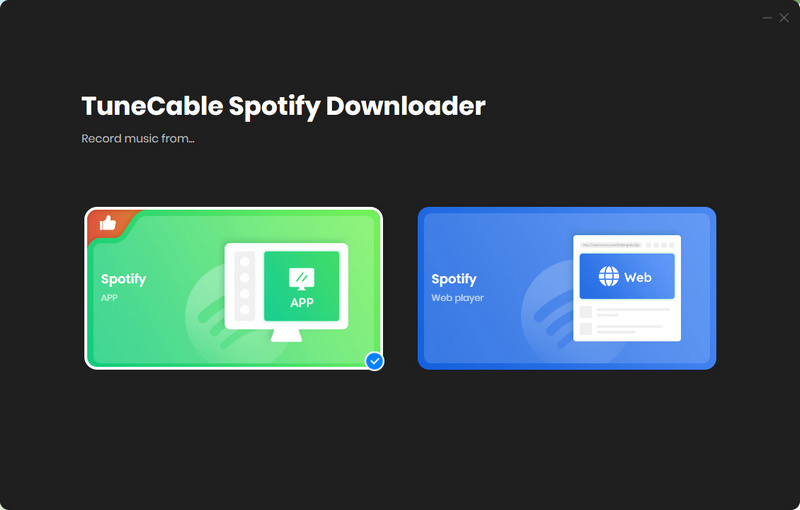
Step 1 Download and install TuneCable Spotify Downloader on your Windows/Mac computer or Android devices. Here we takes Windows version as an example. Launch TuneCable software, and click the "Spotify Web Player/App ⇌" button on the main interface to choose the audio source you want. Log into your Spotify account to load your music library.
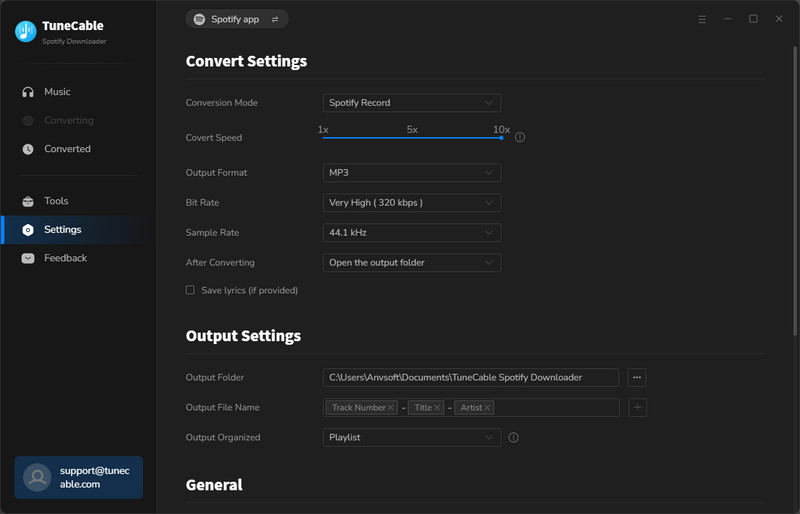
Step 2 TuneCable Spotify Downloader offers comprehensive customization options through its Settings menu (accessible via the top navigation or left sidebar), allowing users to select their preferred audio output format (MP3, FLAC, AAC, ALAC, WAV, or AIFF) and adjust quality settings (128-320kbps bitrate, 44.1-192kHz sample rate). The software stands out with its advanced file naming system, enabling users to create custom filename templates like "{Playlist Index}-{Title}-{Artist}" to maintain playlist order, with additional parameters available including track number, disc number, and year. Beyond basic downloads, TuneCable provides exclusive features like TXT/LRC lyrics saving and Spotify music video downloading - capabilities unmatched by other downloader tools, making it the most versatile solution for preserving Spotify content with complete metadata and organizational control.
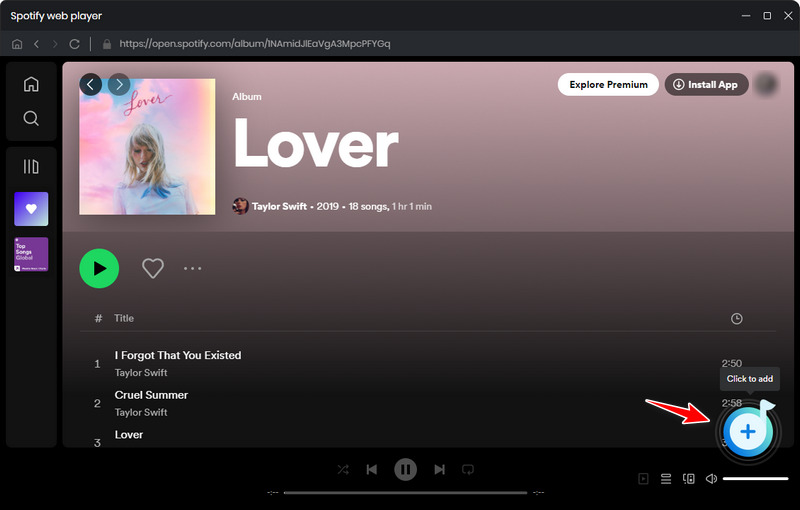
Step 3 After configuring the settigs, now back to the Spotify web player or desktop app, open any album or playlist you want to download, you will see a blue add button floating in the lower-right corner, tap on it. TuneCable will then load all the songs into a list, select the songs you want to download and click "Add" to continue. If you are downloading from Spotify app, then directly drag and drop song/album from Spotify desktop app to TuneCable.
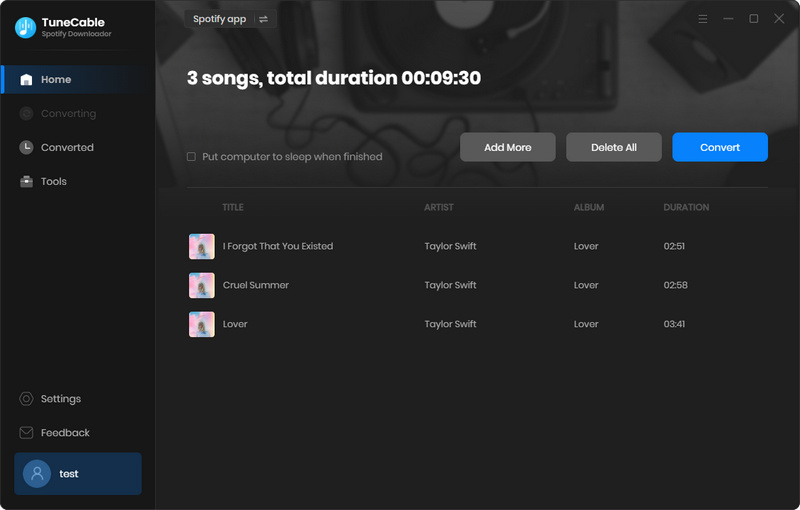
Step 4 On the convert page, here you can click the "Convert" button to start downloading Spotify songs. TuneCable will preserve all metadata, including album art and artist information. The progress bar shows real-time status, and upon completion, the output folder automatically opens for immediate access. All converted files are stored in your designated location, fully decrypted and ready for offline playback across any device.
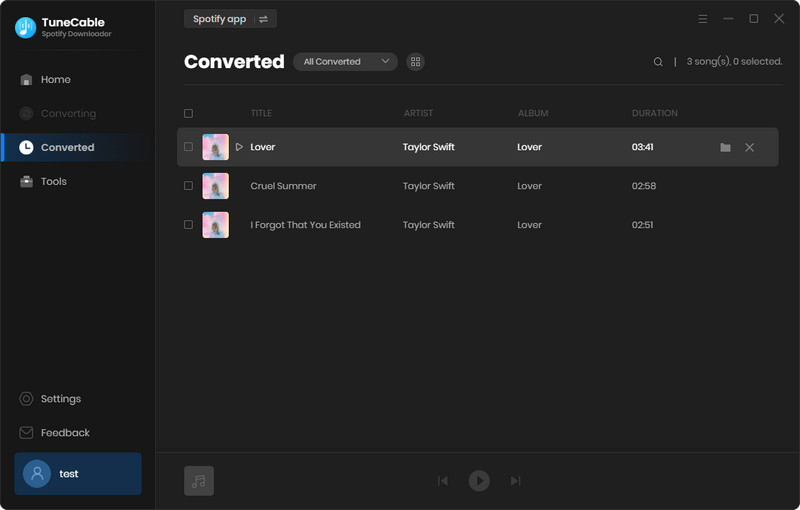
Step 5 After downloading, you can easily find your Spotify downloads under the History option. Unlike Telegram bots, TuneCable delivers consistent high-fidelity audio without security issues or speed throttling—ideal for travelers, audiophiles, and anyone seeking permanent offline access to their Spotify favorites.
xManager Spotify is an Android utility that facilitates the installation of modified Spotify applications, enabling users to access premium-tier features—including ad-free streaming, unlimited skips, and on-demand playback—without a paid subscription.
| Pros | Cons |
|---|---|
| Pre-Patched APKs – Eliminates manual patching required by ReVanced. | Terms of Service Violation – Contravenes Spotify's usage policies. |
| User-Friendly Interface – Simplified one-click installation process. | Security Risks – Potential malware exposure from third-party sources. |
| Version Management – Supports multiple Spotify releases. | Account Implications – Possible restrictions or bans. |
Spotify++ is a modified version of the official Spotify app that unlocks premium features for free, including ad-free music, unlimited skips, and on-demand playback. It’s popular among iOS users since Apple’s App Store doesn’t allow official modded apps.
| Pros | Cons |
|---|---|
| Enjoy Premium features for free. | Terms of Service Violation – Contravenes Spotify's usage policies. |
| One of the few mods working on iPhones/iPads. | Frequent crashes or bugs due to unofficial patches. |
| No Root/Jailbreak Required | No guarantees of data privacy (modified apps can track activity). |
No, ReVanced is for Android only.
Using modded apps like ReVanced Spotify may violate Spotify’s Terms of Service, potentially leading to account bans. We suggest you avoid logging in with your main Spotify account, and disable auto-updates in Play Store to prevent overwriting.
We have listed the key differences between the two apps for reference. While older Spotify ReVanced versions may still offer certain Premium-like playback features, the official "Unlock Premium" patch has been discontinued. TuneCable focuses on downloading and converting Spotify music into local audio files for offline playback. If you want a safe alternative to allow you play Spotify offline and downloading high-quality Spotify songs, then TuneCable Spotify Downloader will be your best choice.
| Spotify ReVanced | TuneCable Spotify Downloader | |
|---|---|---|
| Supported OS | Android | Windows, Mac, Android |
| Main Use | Free Premium streaming | Download Spotify songs |
| Download Spotify Songs | ❌ | ✔️ |
| Cost | Free | Paid |
| Offline Playback | ❌ | ✔️ |
| Legal? | ❌ | ✔️ |
| Security | Possible ads, suspicious pop-ups, or redirecting | Safe without ads |
No, offline downloads are server-side and require a legitimate premium account. If you want to download Spotify songs without premium account, try TuneCable Spotify Downloader instead, both free and Premium accounts are supported.
Yes, most features work like the official app, but some may be unstable. You can also follow this guide to download TXT/LRC lyric files on Spotify.
Spotify ReVanced used to offer an attractive way to access Premium features for free, including ad-free streaming, unlimited skips, and high-quality audio. However, it comes with notable risks—potential instability, sudden patching issues, and even account suspension by Spotify.
This guide has covered how to download, install, and troubleshoot ReVanced, along with comparisons to other modded apps. But if you're looking for a reliable, long-term solution without restrictions, consider an alternative approach. For users who want true ownership of their music, TuneCable Spotify Downloader provides a superior option. Unlike modded apps, this tool lets you:
Ready to make the switch? Try TuneCable today!
 What's next? Download TuneCable Spotify Downloader now!

Ava Morrison | Senior Writer

TuneCable Spotify Downloader


