
 >
How To >
Spotify Music Tips >
>
How To >
Spotify Music Tips >
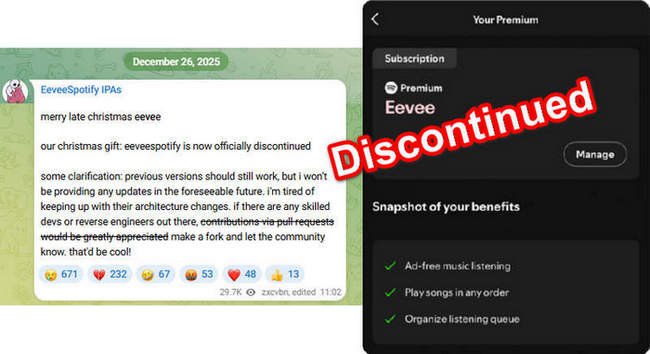
Late last year, news from Telegram about EeveeSpotify, that it is officially discontinued, was met with widespread heartbreak among users. The news sparked a flurry of discussions about EeveeSpotify not working and its alternatives after its breakdown. Are previous versions of EeveeSpotify still usable? What reliable EeveeSpotify alternatives or other solutions are available? This article will clarify these questions and bring out some feasible EeveeSpotify alternatives for you.
EeveeSpotify is a modified version of the Spotify app that works by running its IPA file on iOS. As an app offering some Spotify premium features for free, it was one of the most popular choices among users seeking an enhanced Spotify experience.
We analyzed and contrasted the features of EeveeSpotify with those of official Spotify Premium as follows:
| EeveeSpotify | Official Spotify Premium | |
| Ad-free | ✅ | ✅ |
| On-demand playback | ✅ | ✅ |
| Unlimited skips | ✅ | ✅ |
| Offline downloads | ❌ Often fails | ✅ |
| Audio quality | ⚠️ Not guaranteed | Up to Lossless |
| Lyrics | ⚠️ Sometimes available | ✅ |
| Spotify Connect | ❌ Unstable / may fail | ✅ |
| Podcasts & exclusives | ⚠️ Partial | ✅ Full access |
| Stability | ⚠️ Down anytime | Update regularly & Reliable |
| Installation | TrollStore/AltStore (Complicated installation process) | App Store |
| Price | Free | Usually $12.99/month |
⚠️Important Note: Features may vary by different versions of EeveeSpotify, and may stop working after Spotify updates. Additionally, according to some user feedback, although EeveeSpotify claims to offer Spotify Premium features for free, the offline listening function frequently fails in actual use. If you want to listen to Spotify tracks offline or download Spotify songs to your device, you can click the download button on the right to try this reliable EeveeSpotify alternative.
Is the old version of EeveeSpotify still usable? Fortunately, YES! But the situation varies by device. The same older version might behave differently on different devices. Additionally, multiple limitations of EeveeSpotify have been reported, and these problems exist in both its older and latest versions. Currently, EeveeSpotify will not be updated anymore, therefore the reported issues may persist afterward. The following are the problems we have collected from user feedback regarding EeveeSpotify:
Considering all the above factors, although EeveeSpotify is free, as more problems arise, its former followers have had to find a safer, more stable, and reliable EeveeSpotify alternative.
⚠️Important Note: Due to operating system limitations, the initial setup for running apps like EeveeSpotify on iOS is quite complex. If you are considering switching to an EeveeSpotify alternative for Android, you can skip ahead to the next part to see the best EeveeSpotify alternative for Android and click the button below to give it a try.
🚀 Easy & Fast 🔄 Regular Updates
In this part, we will explore top alternatives to EeveeSpotify for use on desktop (e.g. Windows or Mac) and mobile (e.g. Android) devices.
Some users choose EeveeSpotify for its features like ad-free music listening, unlimited skips, offline listening, and the ability to freely organize playlists. If you also value these features, then TuneCable Spotify Downloader is the best EeveeSpotify alternative for you. It is a professional software compatible with Windows, Mac, and Android systems, used to download ad-free Spotify music to local storage. Apparently, once songs are downloaded from Spotify to your local device, you gain unrestricted access to the files. This enables ad-free playback without skip limits, as well as the ability to create and manage private playlists. With TuneCable, you can even download music for offline listening without a Premium account. In addition, it also supports transferring the downloaded music to iTunes or the Music app, thereby creating a personal cloud music library.
With this tool, you can completely get rid of the Spotify app and transfer music to various devices, software, and players for playback or remixing. Most importantly, its installation is a breeze—far more intuitive and user-friendly than EeveeSpotify's setup. Simply click the button below to download the installation package, and the installation will be complete in just a few clicks!
TuneCable Spotify Downloader
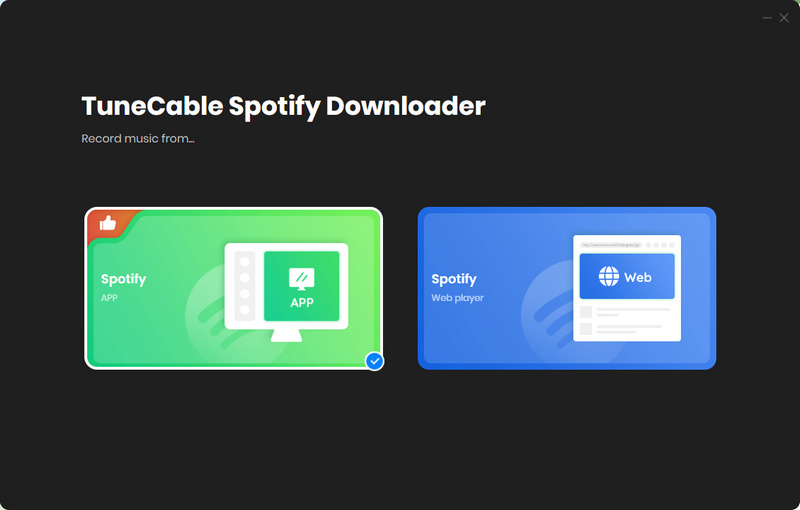
Step 1 Launch TuneCable Spotify Downloader and select your download source (Spotify app or Spotify web player). TuneCable supports downloading music with Spotify Lossless audio quality (a Premium account is required). If needed, you should choose the app mode. Then log in to your Spotify account.
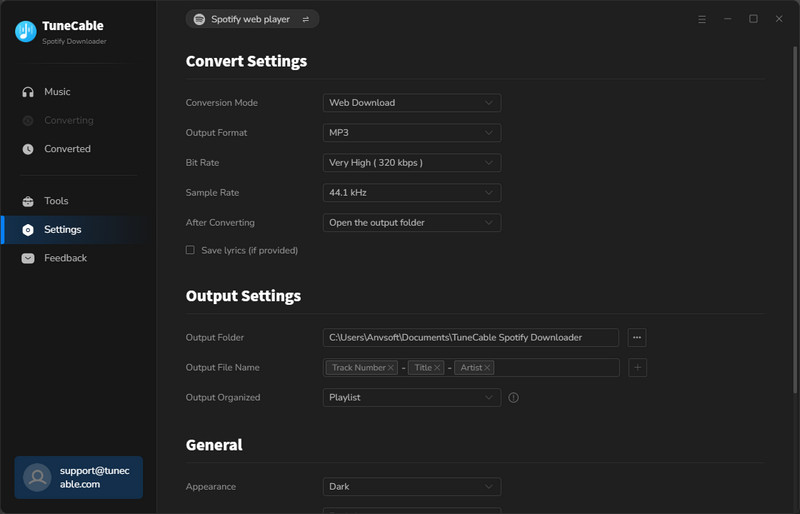
Step 2 Next, go to the "Settings" interface (by clicking the gear icon in the lower left corner) to select the output format, bitrate, sample rate, output file naming method, etc. TuneCable offers a wide range of output format options, including MP3, AAC, FLAC, WAV, AIFF, and ALAC. These standard formats are compatible with almost all media players. Therefore, you can play Spotify tracks offline on any device, without ads, without skipping limitations, and with the option to shuffle or not shuffle playback.
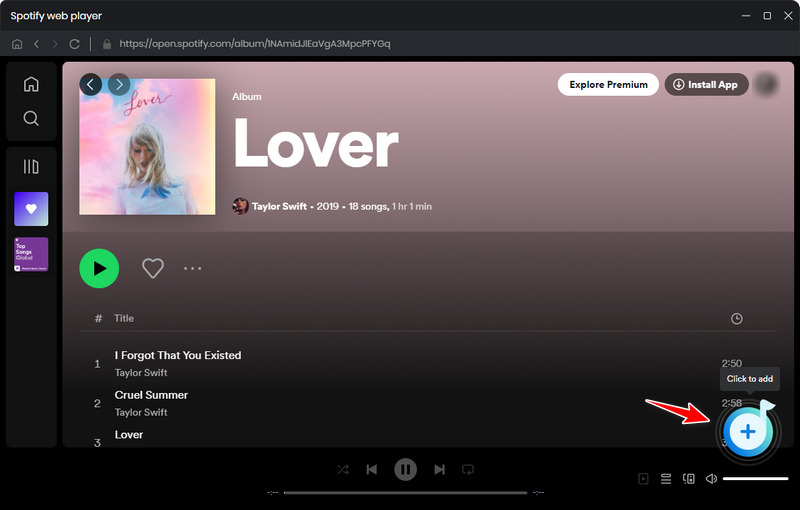
Step 3 Go to the Spotify app or the embedded Spotify web player interface to select the songs you want to download. Hit the "Click to add" button in the bottom right corner to analyze the music.
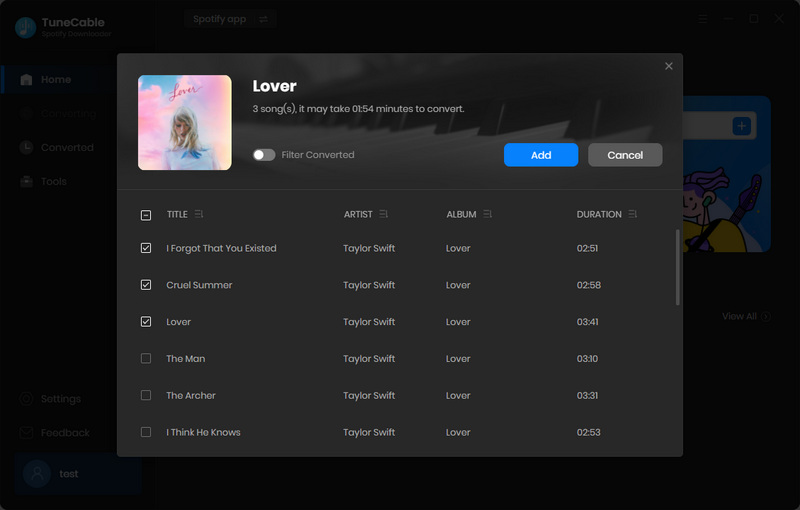
Step 4 In the pop-up window, tick the songs you want to download and click "Add" to add them to the download task list. TuneCable supports selecting and downloading all songs from an entire playlist in bulk, and also supports selecting songs from multiple different playlists for download. Simply click "Add More" and repeat the previous adding steps.
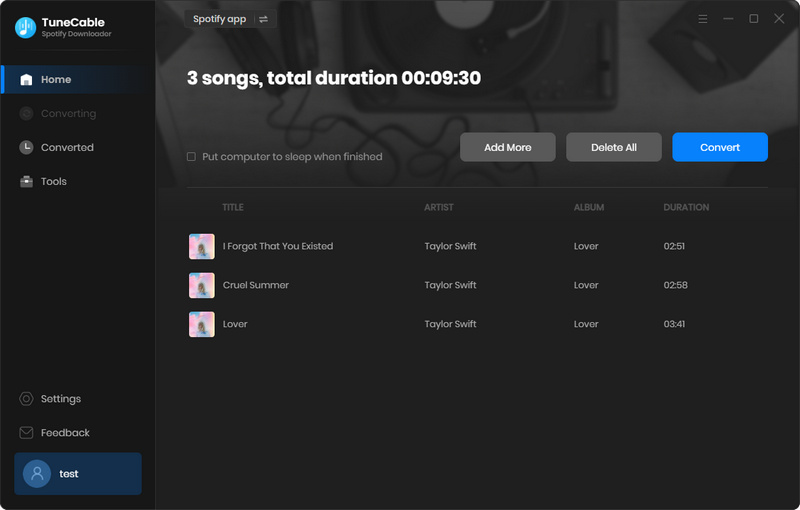
Step 5 Click the "Convert" button to start the download process. Once the download is complete, you can go to the "History" module to view the downloaded music. Then, simply click the play button to play the Spotify music offline directly on TuneCable. Of course, you can transfer the downloaded music files to players like WMP and arrange the playback order and play them freely.
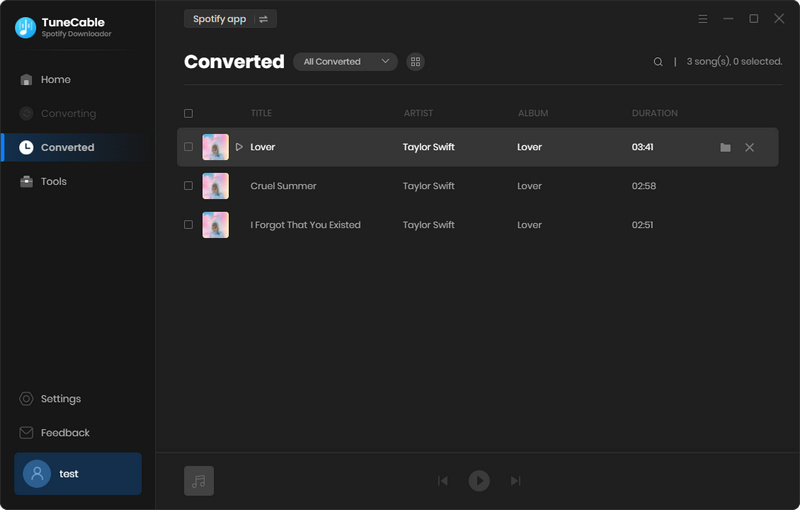
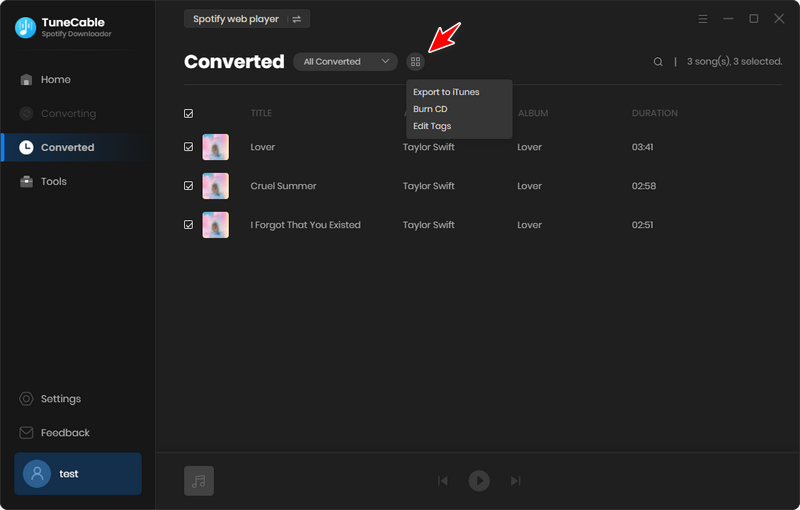
Step 1 In the "History" module, select the songs you want to import into iTunes or the Music app, then click "Export to iTunes/Music".
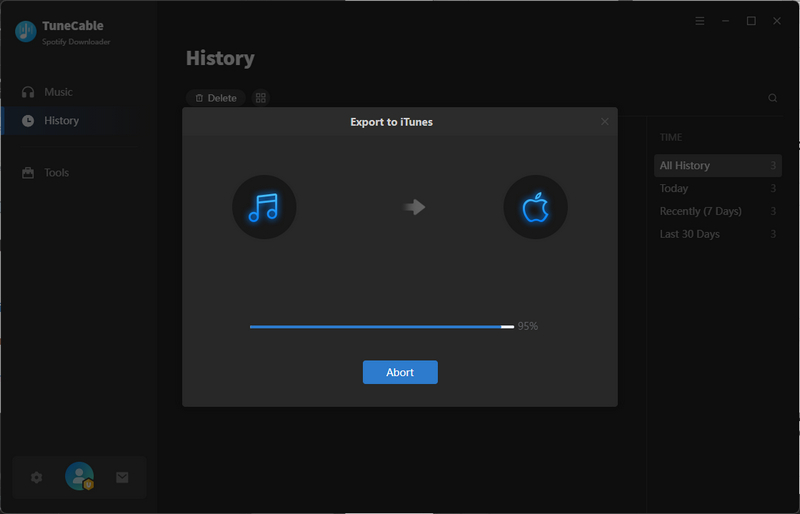
Step 2 Give your playlist a name. Next, start importing the songs. Then, you can access your Spotify tracks in your Apple library.
TuneCable Spotify Downloader is also available for Android mobile devices. Unlike Spotify mod apk, it is a Spotify downloader that can convert Spotify tracks, podcasts, audiobooks, and other content into MP3, AAC, WAV, and FLAC formats. Installation is also user-friendly. Just click to download the APK package, open the file, and tap "Install" to begin. The process completes quickly—no manual building or injection required—and you'll be ready to go.

TuneCable Spotify Downloader for Android
⭐ 100K+ Downloads 🚀 Easy & Fast
🔄 Regular Updates 🔒 100% Clean
Step 1 Launch TuneCable Spotify Downloader. Go to the top bar, and tap on "Login Spotify".
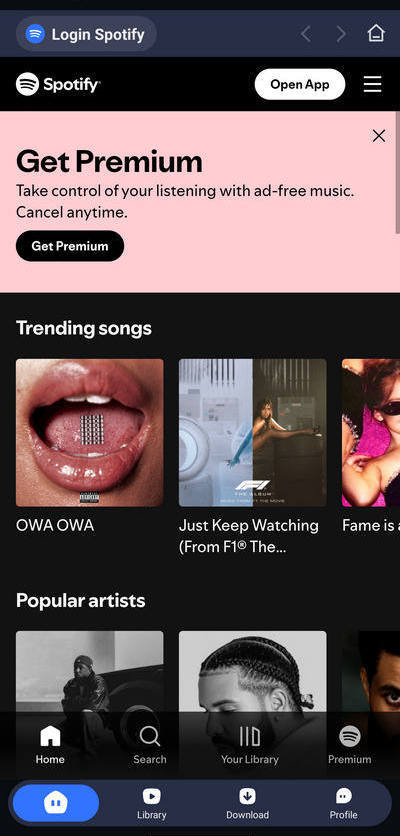
Step 2 Navigate to the "Profile" section in the menu bar and tap "Download Settings". Here, you can set the file output path, format, and quality. To further customize how files are organized and where they are saved, select the "Output Path" option.
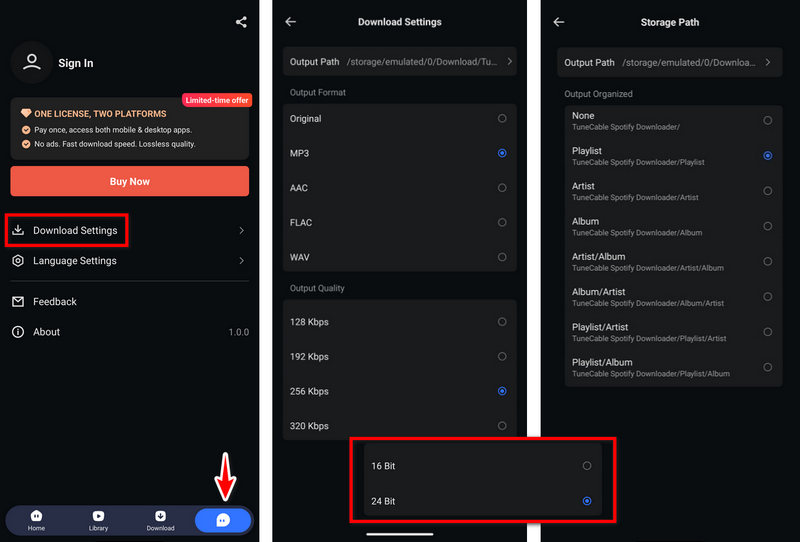
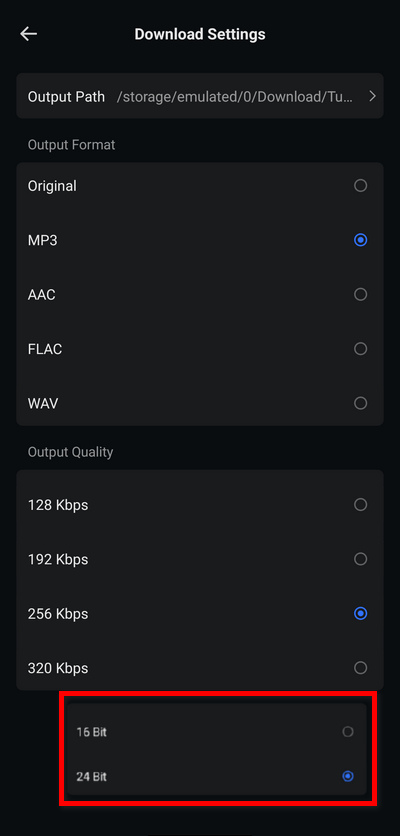
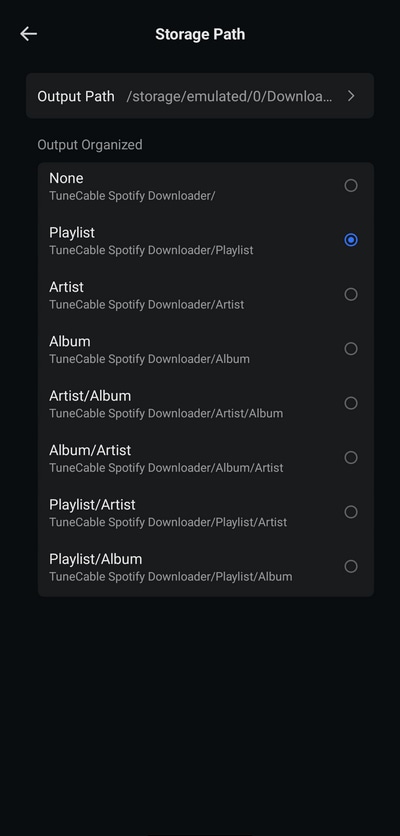
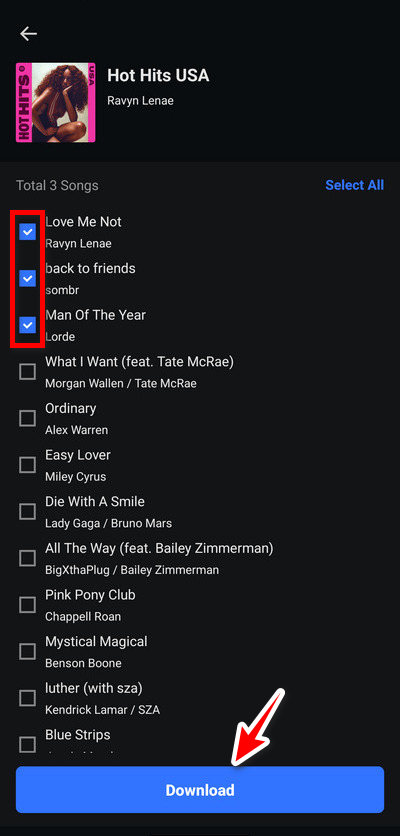
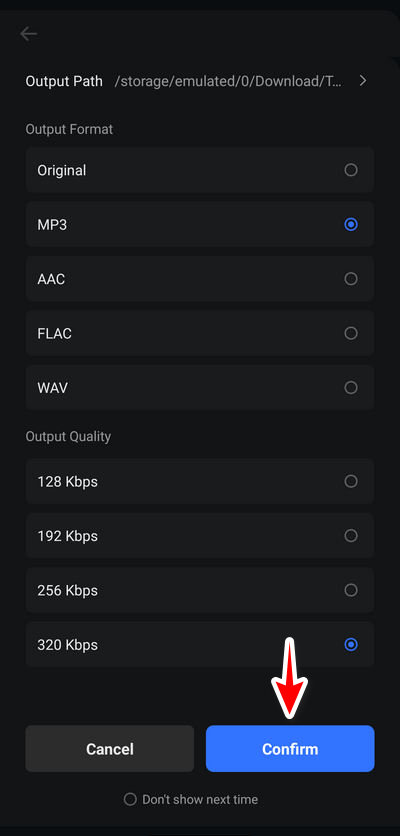
Step 3 Return to the "Home" page and open a playlist or album. Tap the blue "+" button—this will prompt TuneCable to parse and list the songs for download. Select your desired tracks and click "Download". On the final screen, review the output format and quality, then "Confirm" to begin.
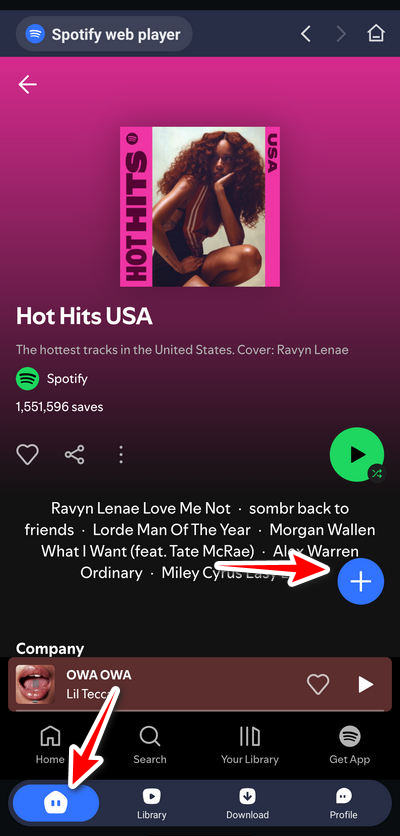
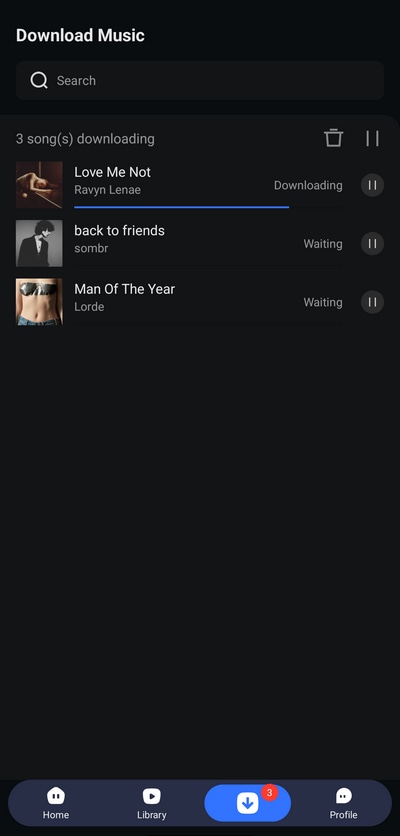
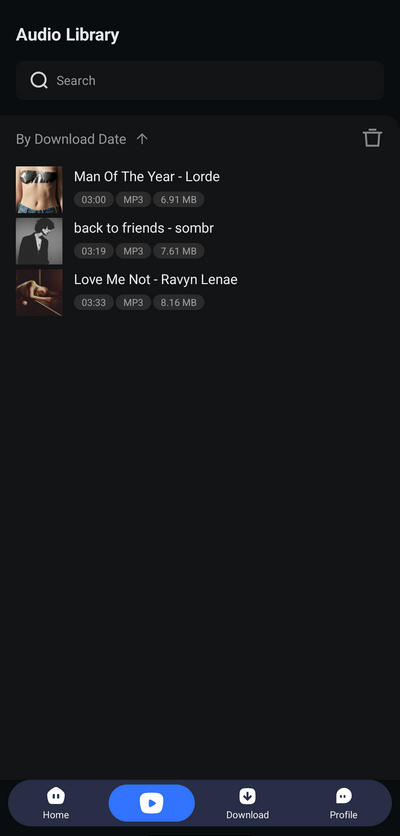
Step 4 To access your downloaded music, navigate to the "Library" tab. Your download history is stored there. As the Spotify tracks are saved locally, you can play any track offline with no ads and skip limits by simply tapping on its title.
| TuneCable Spotify Downloader | TuneCable Spotify Downloader for Android | EeveeSpotify | |
| System | Windows or Mac | Android | iOS |
| Ad-free Music | ✅ | ✅ | ✅ |
| On-demand playback | ✅ | ✅ | ✅ |
| Unlimited skips | ✅ | ✅ | ✅ |
| Offline downloads | ✅ Save music locally | ✅ Save music locally | ❌ Often fails |
| Audio quality | Up to Lossless | High | Low |
| Stability & Support | Update regularly & reliable customer support | Update regularly & reliable customer support | ⚠️ Down anytime |
| Installation | Easy | Easy | Complicated |
No, EeveeSpotify is a modified Spotify app that claims to unlock Premium features for free. It is not available on the App Store for download.
Although it claims to unlock premium features such as offline listening for free, many users have reported that this feature is not consistently available in actual use. Furthermore, the ability to download Spotify music locally is not provided, as explicitly stated on EeveeSpotify's GitHub page. If you want a smooth offline download and listening experience, we recommend using TuneCable Spotify Downloader.
Notably, there are significant risks involved. EeveeSpotify only provides source code on GitHub, meaning users must compile the Spotify IPA file themselves, which is a process that requires non-trivial technical expertise. For convenience, some users prefer to find pre-built EeveeSpotify IPA files online. However, downloading Spotify IPA files from untrusted websites may entail significant risks, as they may contain malicious code that can expose your privacy and security. Hence, please be sure to find reliable sources and understand the associated risks before installation.
Though bans are uncommon, there is a possibility of being banned according to some users' feedback. If you continue to use a modified Spotify app, Spotify's official systems may detect unusual activity on your account. They may log you out, temporarily restrict your account, or even permanently suspend it.
Depending on the device and specific version, some older versions may still be usable. According to feedback from some users, if your Spotify and the iOS system are not updated, some earlier versions (such as 6.x or earlier) may still function correctly for basic playback and some advanced features. However, usually, if the official Spotify app is updated and EeveeSpotify doesn't update accordingly, the current version of EeveeSpotify will stop working.
In this article, we briefly introduced the features and limitations of EeveeSpotify and compared it with the official Spotify app. Since EeveeSpotify has been discontinued, users need to find a reliable, safe, and long-term EeveeSpotify alternative. To address this need, we present two viable solutions that are compatible across desktop (Windows or Mac) and mobile (Android) platforms, namely TuneCable Spotify Downloader. Although EeveeSpotify is designed for iOS, you can use TuneCable Spotify Downloader to download Spotify tracks to local storage in standard formats. These downloaded files can then be transferred to your Apple Music library, and you can access them on iOS. Also, you can move them to any other compatible device or media player for offline, ad-free listening. Give it a try!
 What's next? Download TuneCable Spotify Downloader now!

Ava Morrison | Senior Writer
TuneCable Spotify Downloader


